About This Item
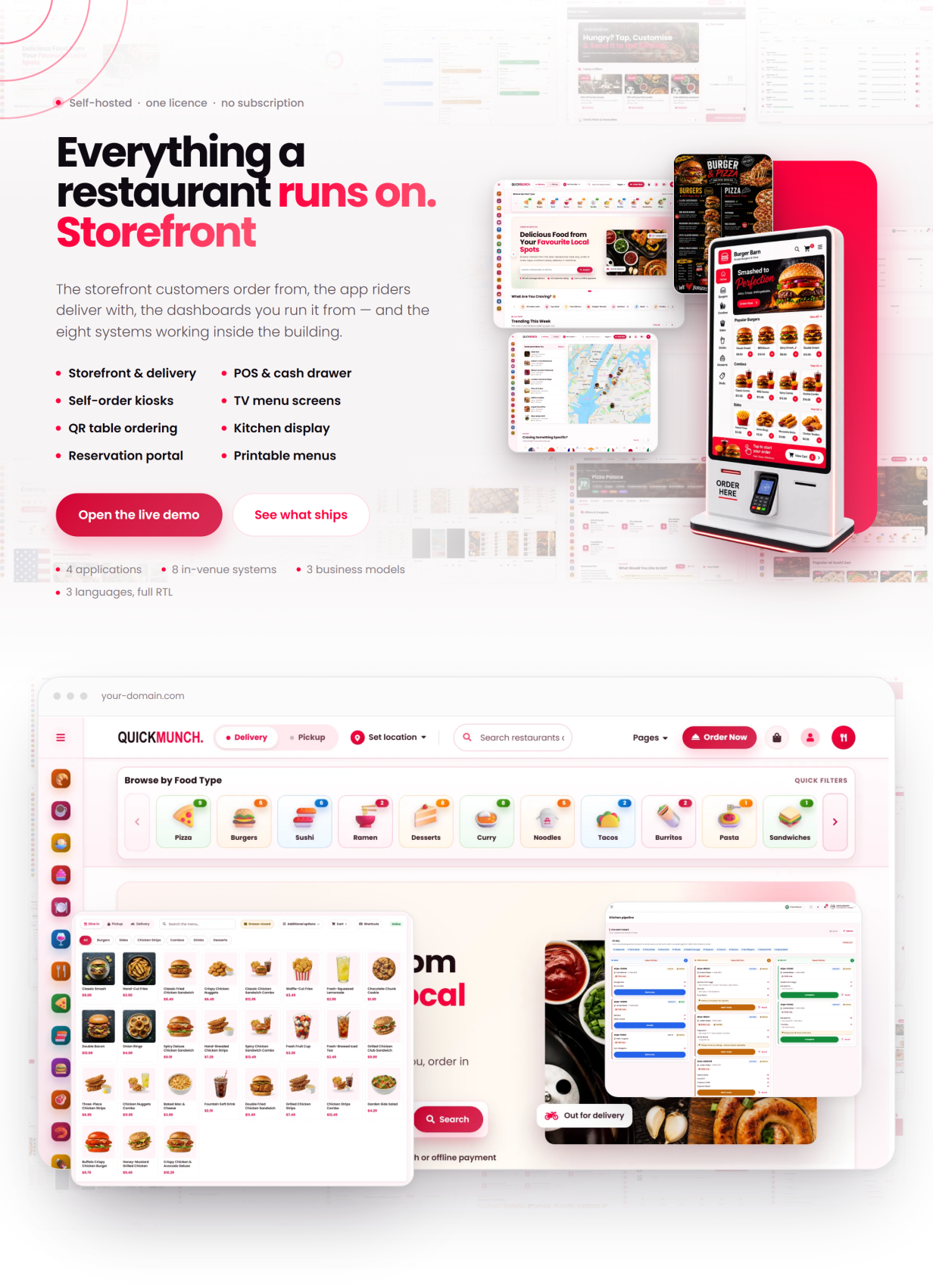
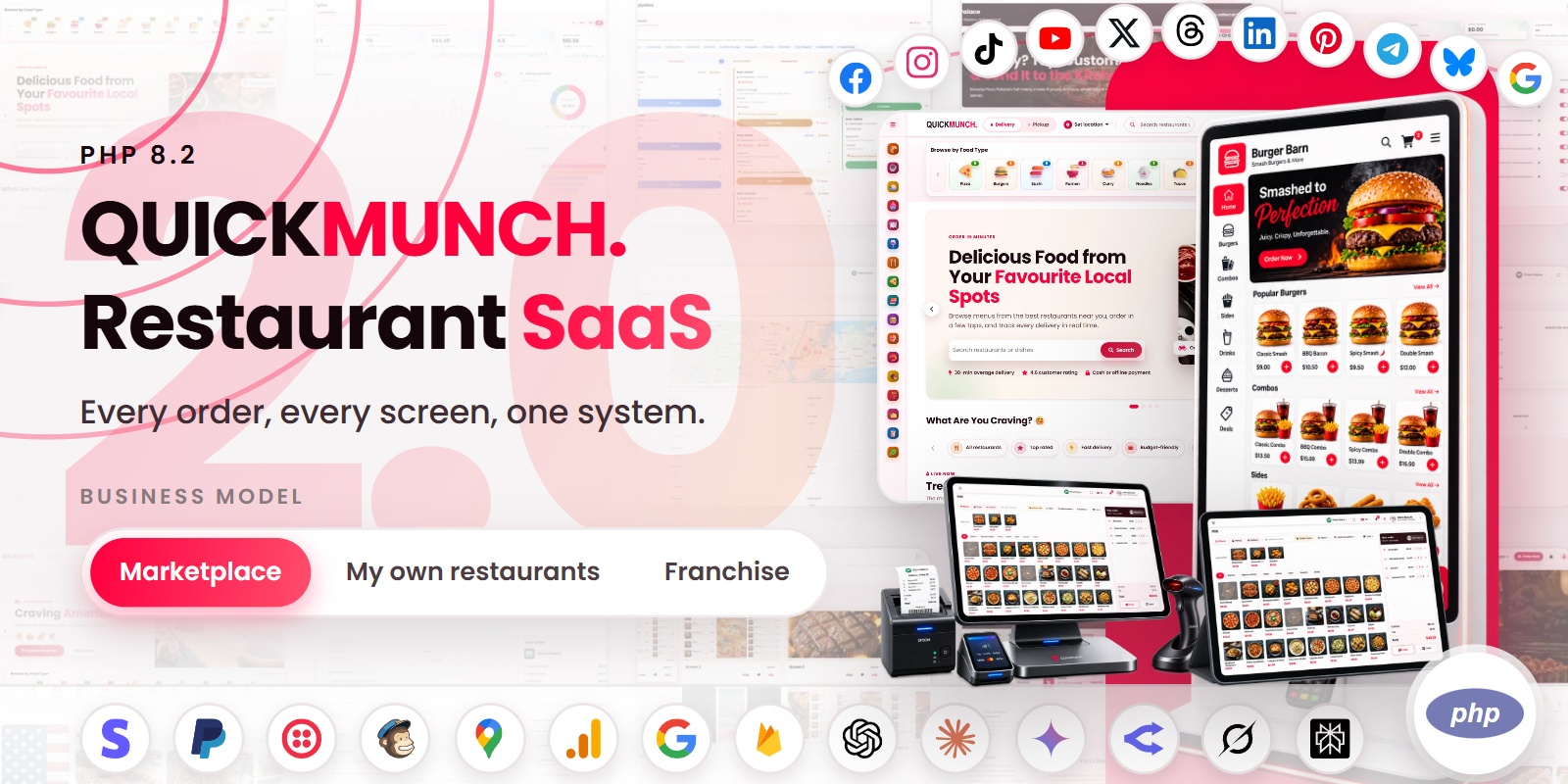
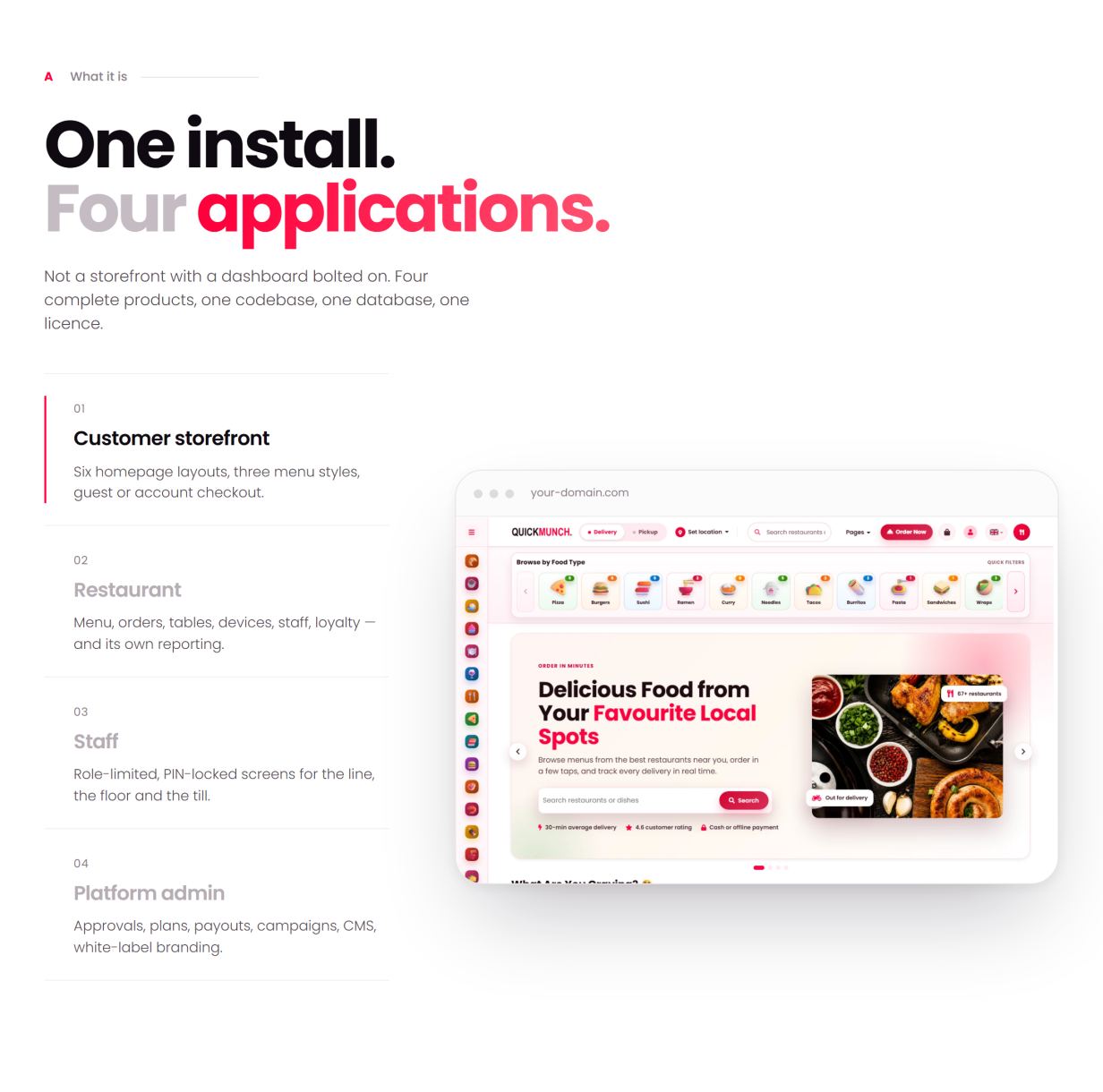
Quickmunch is a self-hosted, multi-restaurant food ordering and delivery platform built in native PHP 8.2 — no framework lock-in, no Composer or npm build step, and every asset bundled locally. Run it as a commission marketplace, as the operating system for your own chain of venues, or as a franchise network billing royalties — one install, three business models, switchable from the admin panel. Customers order from an installable storefront (PWA), restaurants run kitchen, floor, POS and devices, drivers deliver, and a super-admin governs plans, payments and payouts — in three languages (English, Spanish, Arabic) with full right-to-left support, from a web installer with realistic seeded demo data.
Live Demo
Front End Demo: Quickmunch
Dashboard Demo: Quickmunch log-in
One-click demo access is shown beside the login form — pick a role and you are in. All demo accounts share the password: demo1234
- Super-admin — admin@quickmunch.test / demo1234
- Restaurant owner — vendor@quickmunch.test / demo1234
- Customer — customer@quickmunch.test / demo1234
- Driver — driver@quickmunch.test / demo1234
- Manager — manager@quickmunch.test / demo1234
- Kitchen staff — kitchen@quickmunch.test / demo1234
- Host — host@quickmunch.test / demo1234
- Waiter — waiter@quickmunch.test / demo1234
Three Business Models, One Product
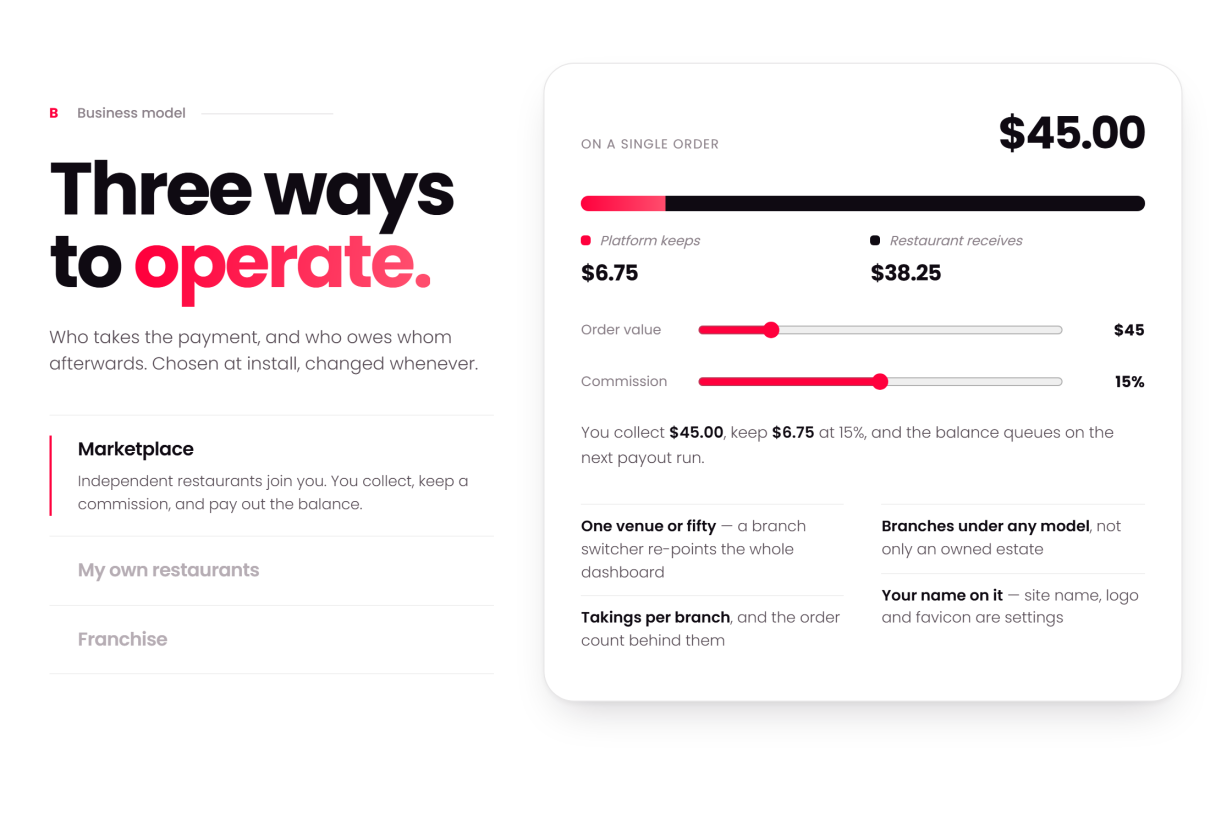
Chosen at setup, switchable later — every screen adapts to the model you run:
- Marketplace — independent restaurants. You collect payments, pay each restaurant its share and keep a commission, with statements and payouts built in.
- My own restaurants — one owner, many venues. All revenue is yours, consolidated. No payouts, no commission.
- Franchise — each restaurant takes its own payments. You charge a royalty, invoiced on the subscription.
How You Make Money (five income streams)
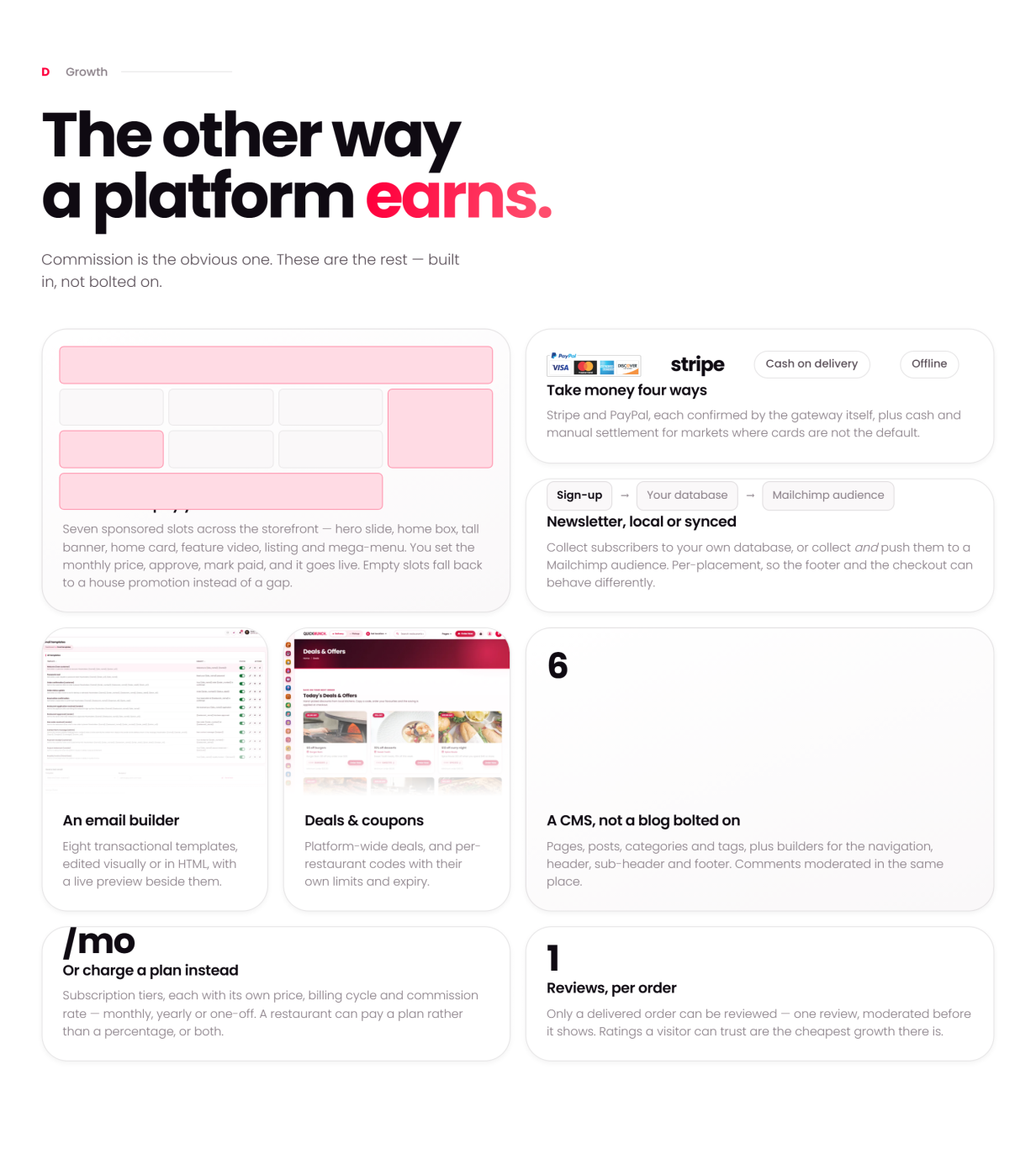
- Commission on every order — set your percentage and the platform takes it off the top of each bill automatically; the restaurant’s balance queues to the next payout run, with statements for both sides (marketplace model).
- Subscription plans — restaurants pay you monthly (or once, for lifetime tiers) to be on the platform: free, trial, monthly and lifetime plans with a feature matrix, billed as real Stripe / PayPal recurring agreements created by the app — no manual gateway dashboard work, ever. A restaurant can pay a plan instead of a percentage, or both — your pricing, your rules.
- Sponsored ads — restaurants buy placements across your storefront (hero slide, home box, tall banner, listing banner and more), pay online through the same gateways, and the placement goes live — with admin pricing, approval and a revenue report; empty slots fall back to house promotion.
- Royalty — in the franchise model each restaurant takes its own payments and you invoice a royalty on their sales, billed on the subscription.
- Platform tax — charged on top of plans and ads, separate from each restaurant’s own diner tax; both configurable.
Every stream lands in admin reporting: platform earnings, recurring revenue, ad revenue and payout statements.
White-Label: Your Brand on All of It
- Your logo, favicon and brand colour — one setting recolours the whole platform, storefront and dashboards alike
- Your site name, pages, navigation, header and footer — nothing in the product names Quickmunch to your customers
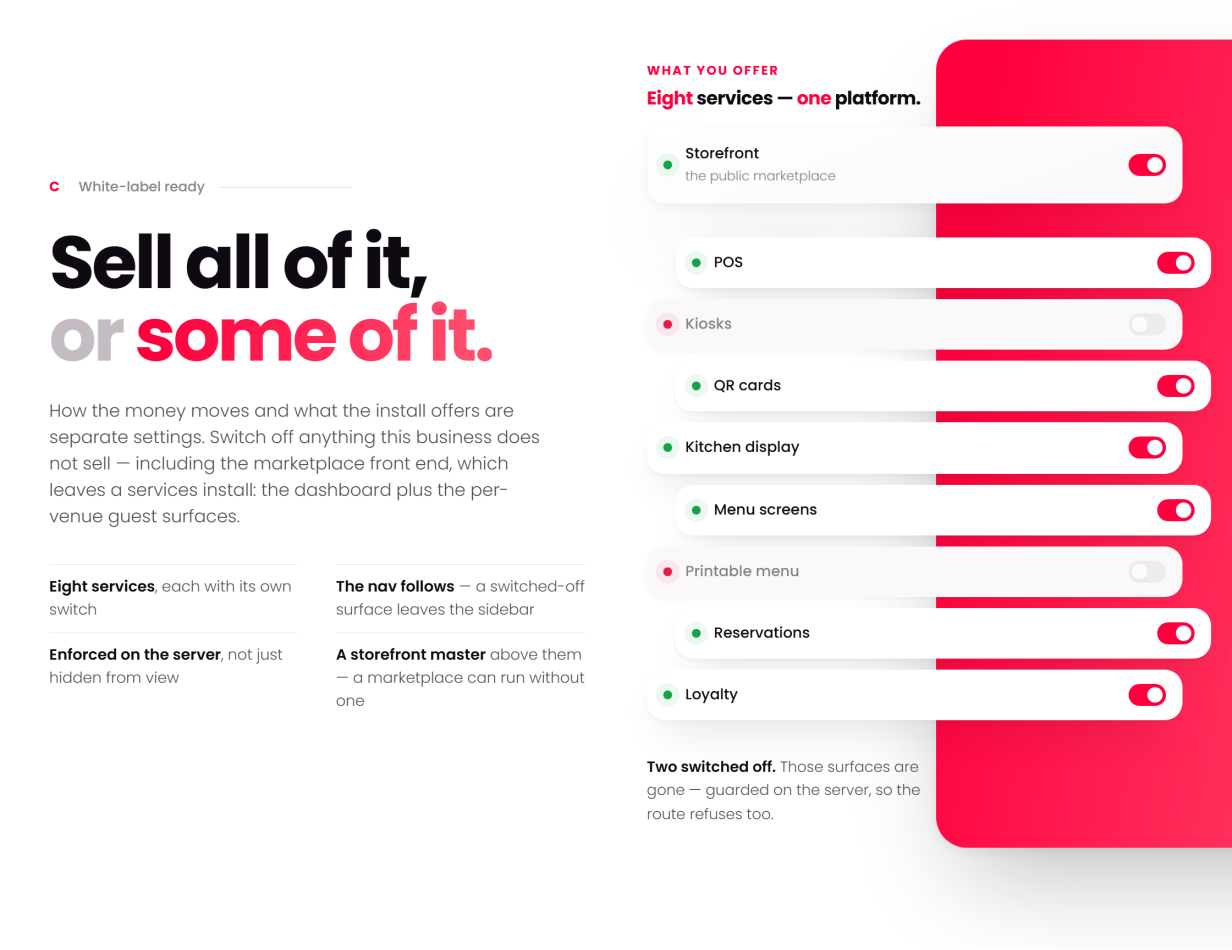
- Eight sellable services, each with its own switch: run storefront, POS, kiosks, QR cards, kitchen display, menu screens, printable menus, reservations and loyalty — all of it, or only what your market buys
Customer Storefront
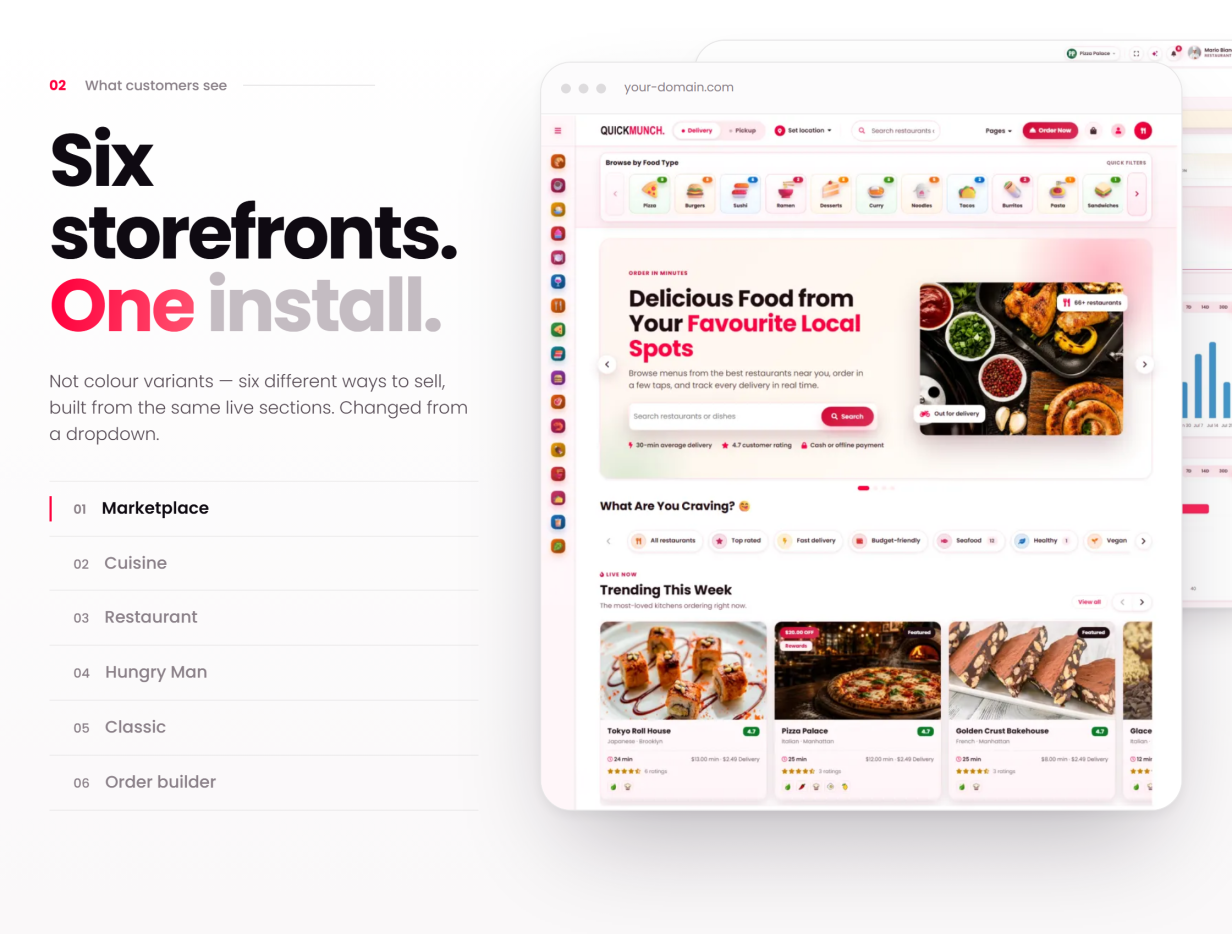
- Six selectable homepage layouts (admin-chosen), cuisine and dietary classifications with dedicated landing pages, search and open-now / rating / price filters
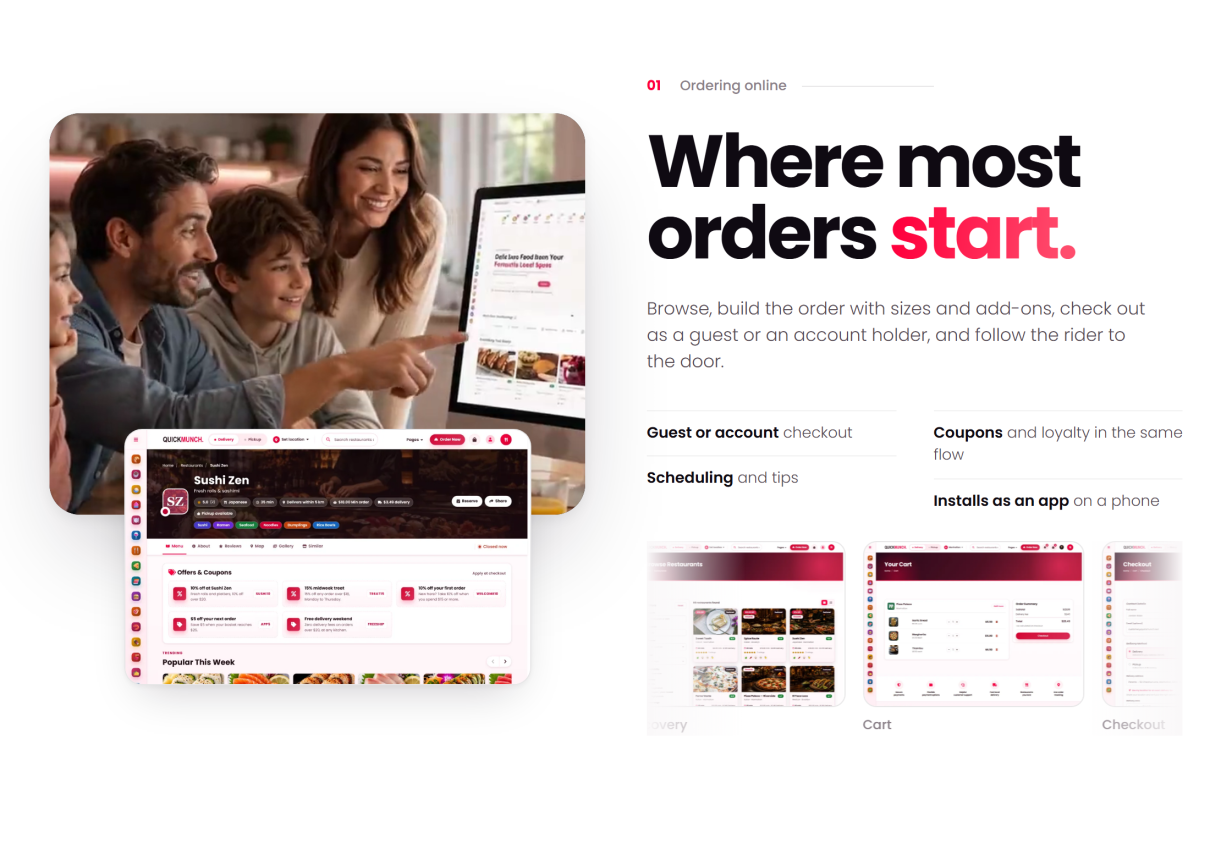
- Full menu with categories, item-options modal (sizes, add-ons, ingredient picker) and a live total; session cart with AJAX add / update / remove
- Guest checkout — Stripe, PayPal, Mollie, Square, Paystack, Flutterwave, PayU, SSLCommerz, cash-on-delivery or offline / manual payment
- Order scheduling, tips, service charge, per-restaurant tax, delivery zones, coupons and platform-wide deals
- Real-time order tracking on a bundled Leaflet map with private, tokenised links
- Installable web app (PWA) with native web-push order updates — no third-party push service
- Reviews (delivered orders only), favourites, addresses, loyalty wallet and order history with one-click reorder
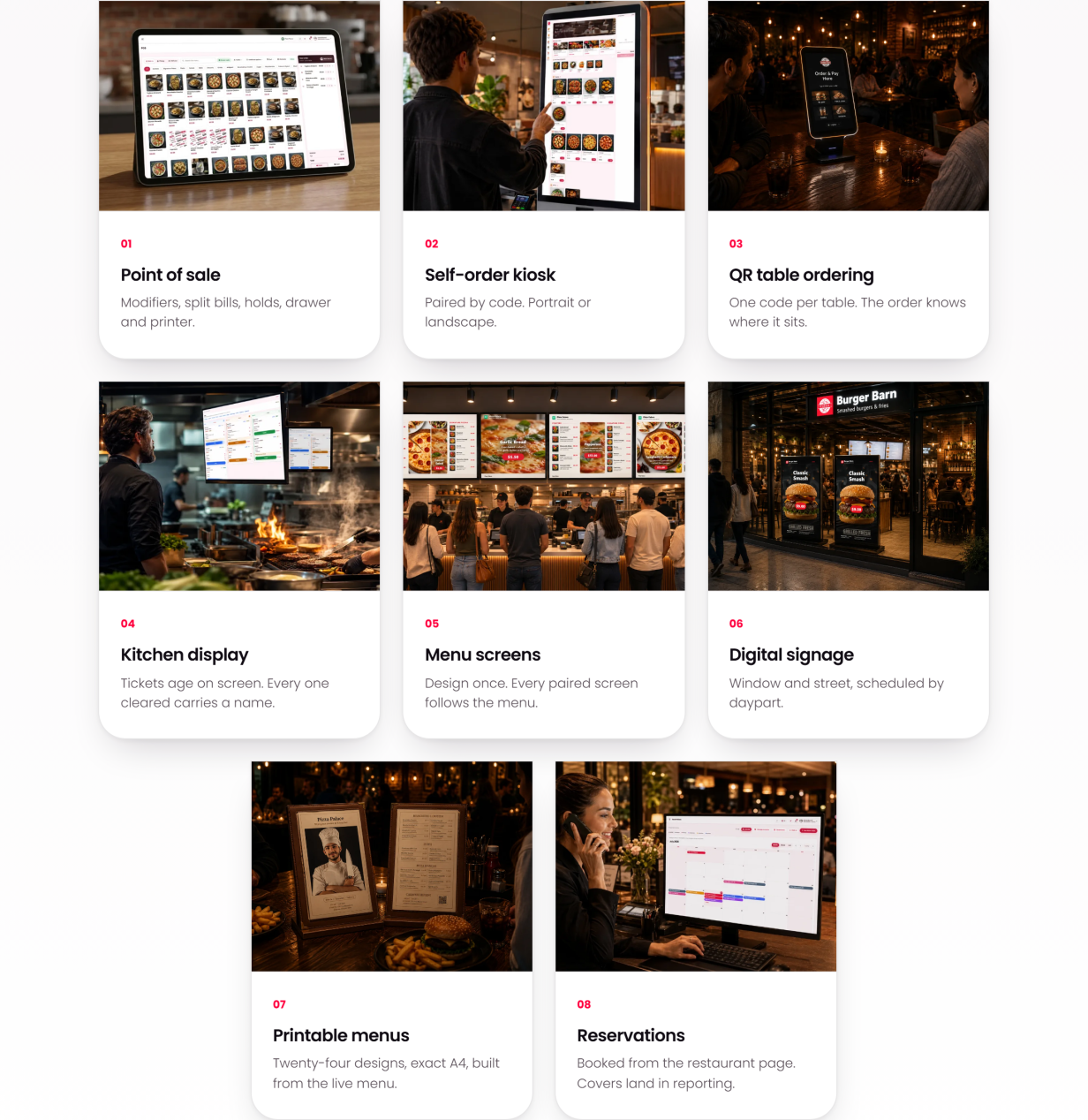
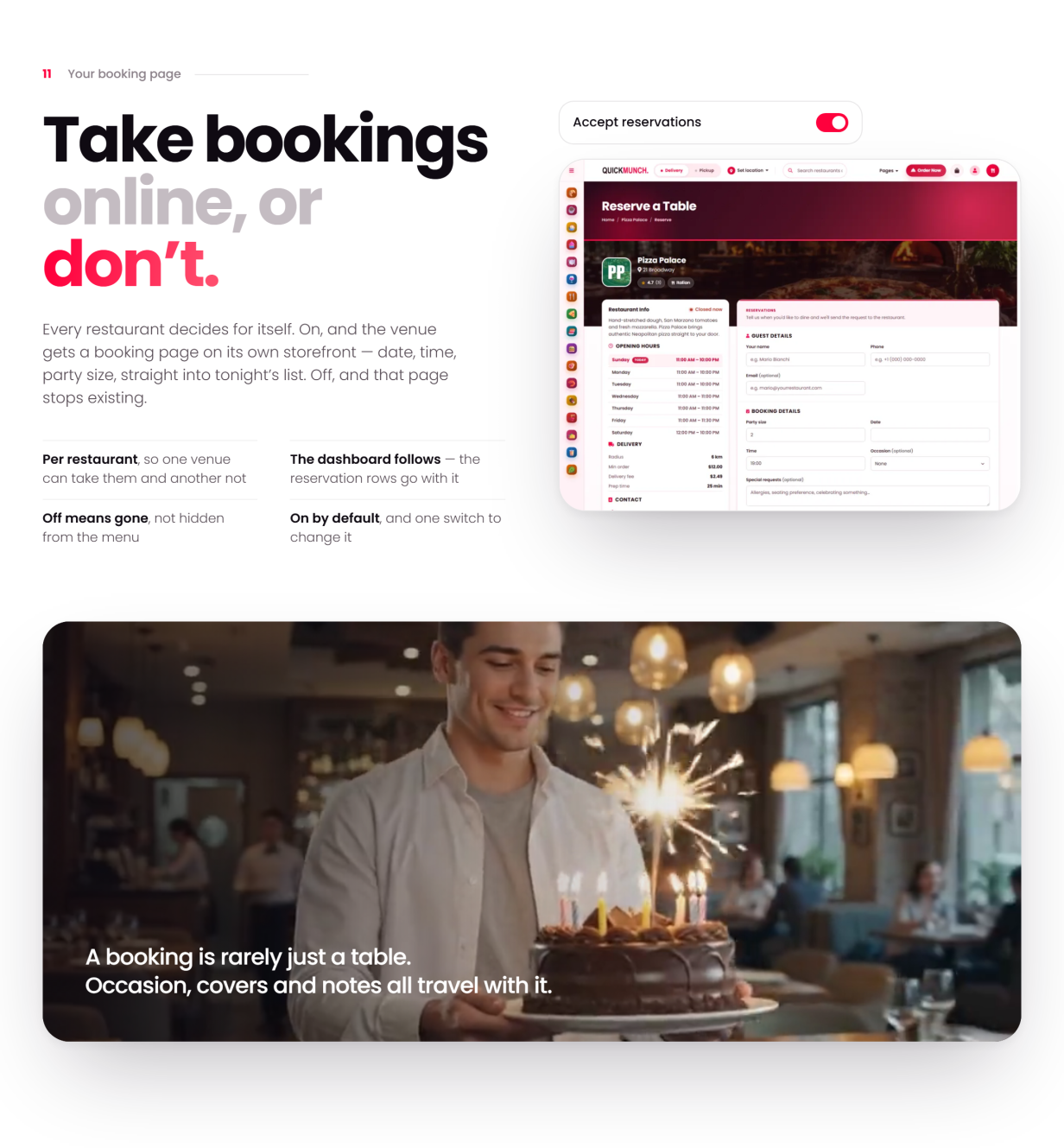
- Table reservations from the storefront, with party size and special requests
Restaurant Operations
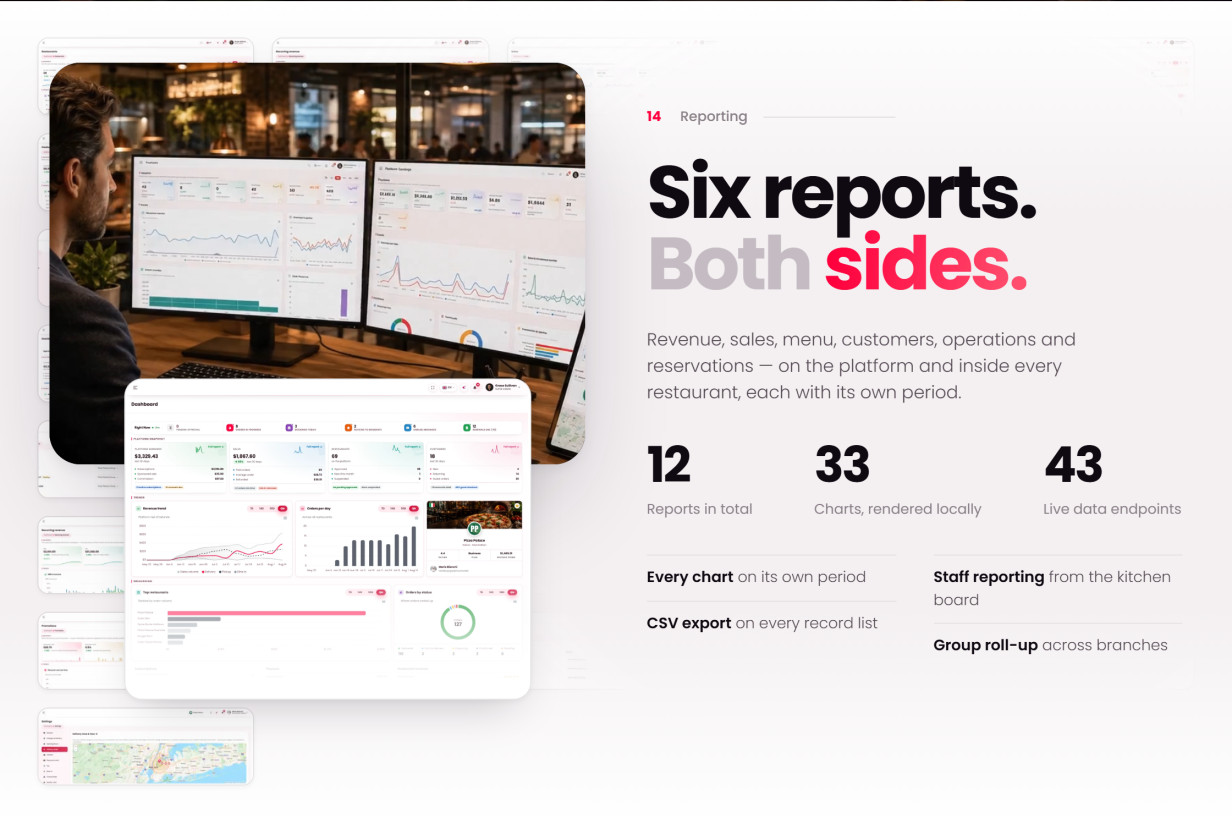
- Dashboard: a live “Right now” strip, KPI cards with sparklines, revenue and order trends, an out-for-delivery map and a client-locations map
- Orders with validated status transitions, driver assignment and cancellation reasons
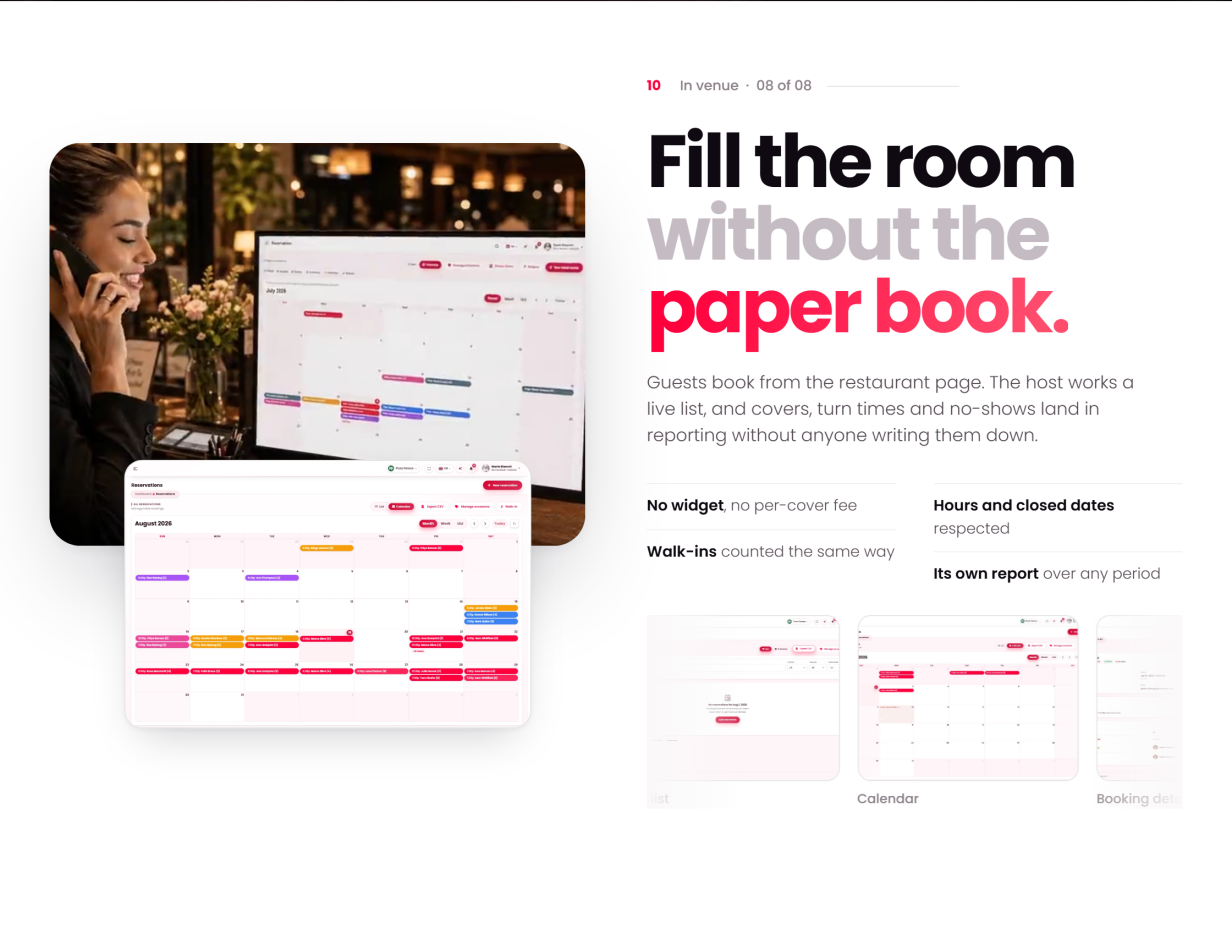
- Reservations in calendar and list views; drag-and-drop floor plan with zones and per-table status
- Menu: dishes with options, allergens and dietary attributes; categories; menu import with an AI-assisted draft flow; menu archive; upsell builder
- Inventory: stock items with unit costs, movements, low-stock alerts and stock value
- Customer book and a per-restaurant loyalty programme with a reward catalogue
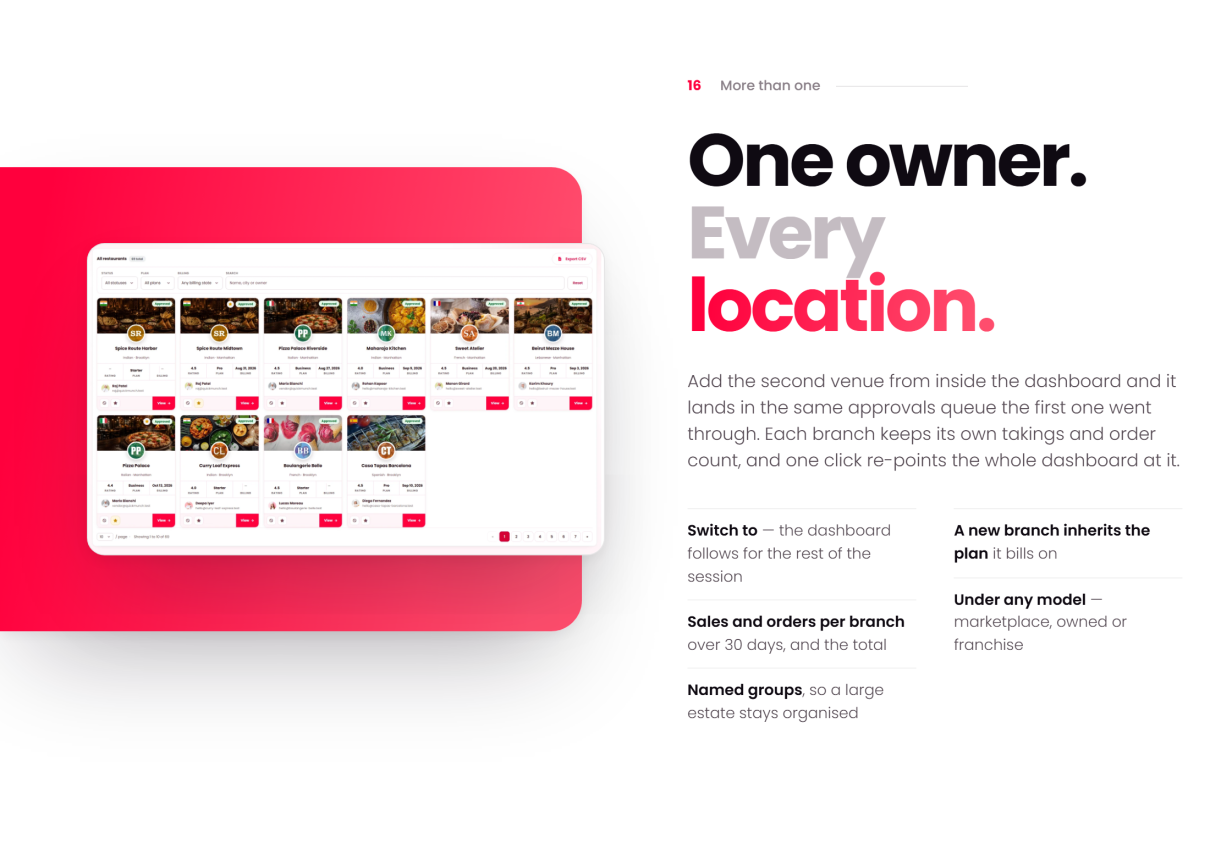
- Branches for multi-venue owners — each branch keeps its own takings and order count, and one click re-points the whole dashboard at it
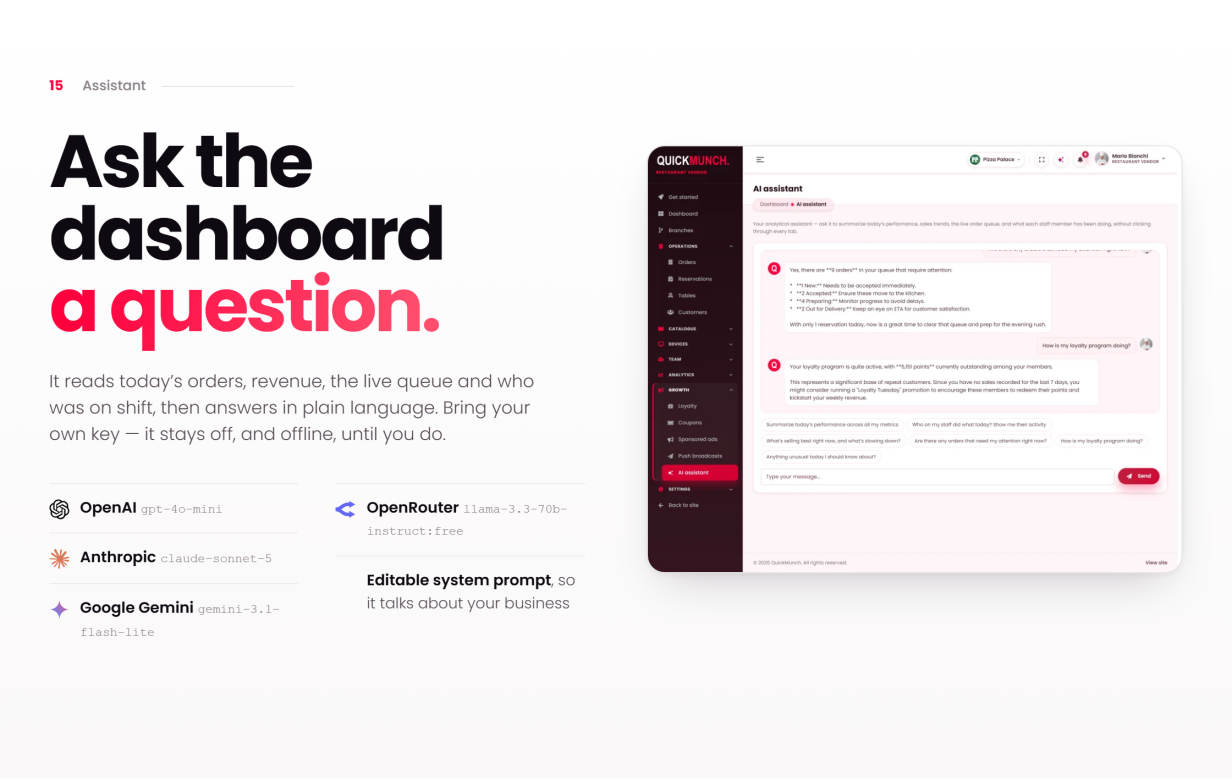
- An AI assistant that answers from the vendor’s own dashboard data, by text or by voice — bring your own provider key
Quick Social: Every Restaurant Posts From Its Dish List
- Ten networks from the restaurant dashboard: Facebook, Instagram, Threads, X, TikTok, YouTube, Pinterest, LinkedIn, Telegram and Bluesky — each branch connects its own accounts
- A campaign composer that starts from a dish — name, price, description, photograph and the storefront link fill in — with text, picture and video posts, one preview per channel in that channel’s look, Write with AI, drafts, scheduling and Publish all
- Native video publishing to YouTube, TikTok, Instagram Reels, Facebook Reels and Pinterest video pins, with each platform’s own settings
- Campaign and video logs with every channel’s answer and one-click retries; archives with record pages that update or take down a post where the network allows; a calendar with day, week and month views and drag-to-reschedule
- An Image studio (restaurant templates with the price, moods, adjustments, text and shape layers, saved at the picture’s own size) and a Video studio (trim, reframe, captions, colour, rendered on your own server with FFmpeg)
- For the operator: the tool’s switch, the channels offered, one card per network app (provide it once, or let each branch register its own) and limits per branch — channels, campaigns per month, AI captions per month
Devices & Printing
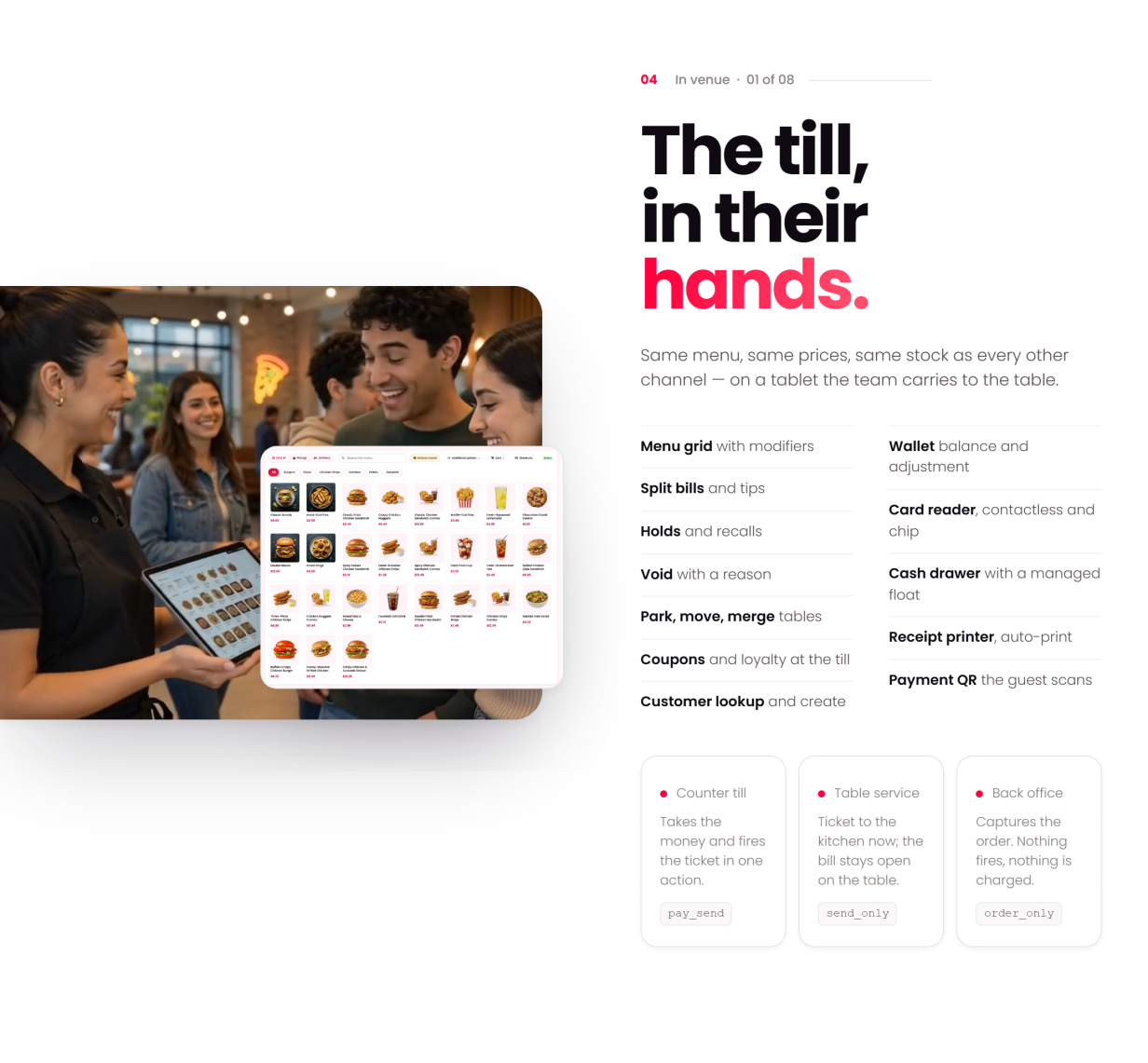
- POS in four styles to choose from, with parked tickets, quick keys, table picker, cash drawer and shift reports
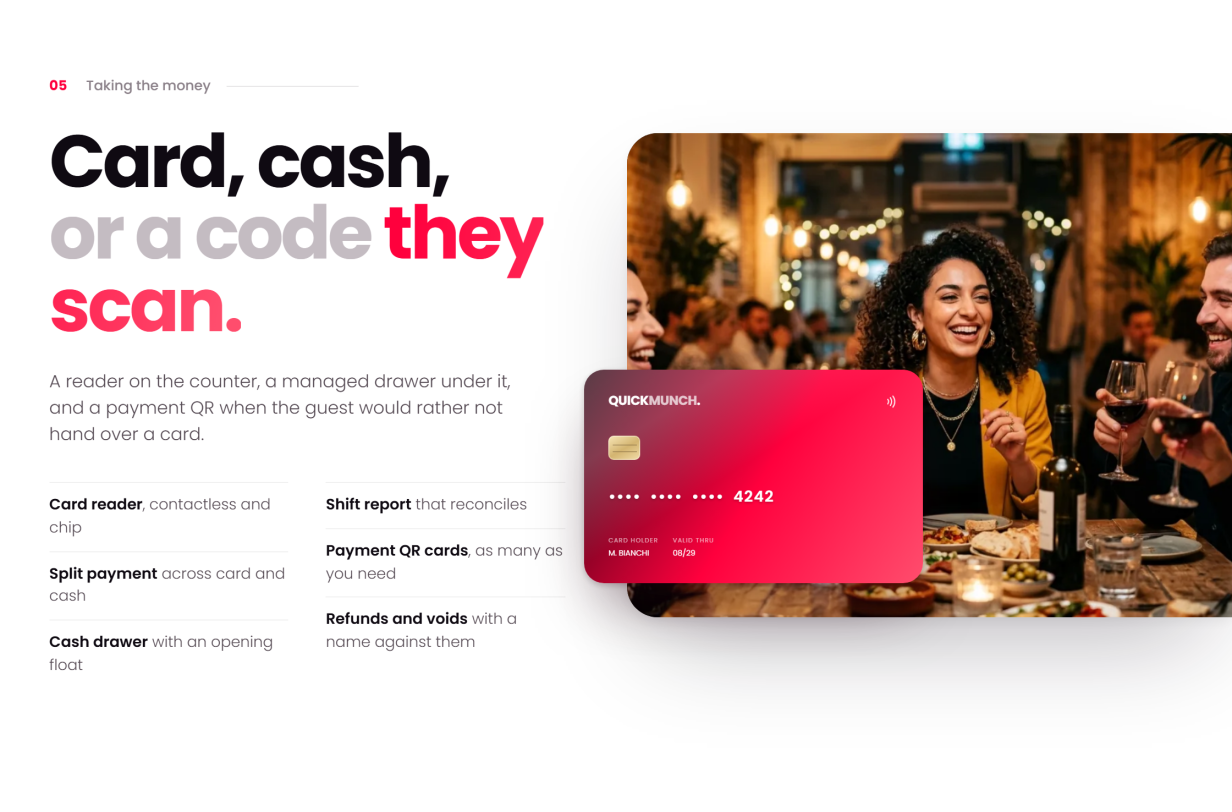
- Card, cash or payment QR the guest scans — split payments, refunds and voids with a name against them, and a shift report that reconciles
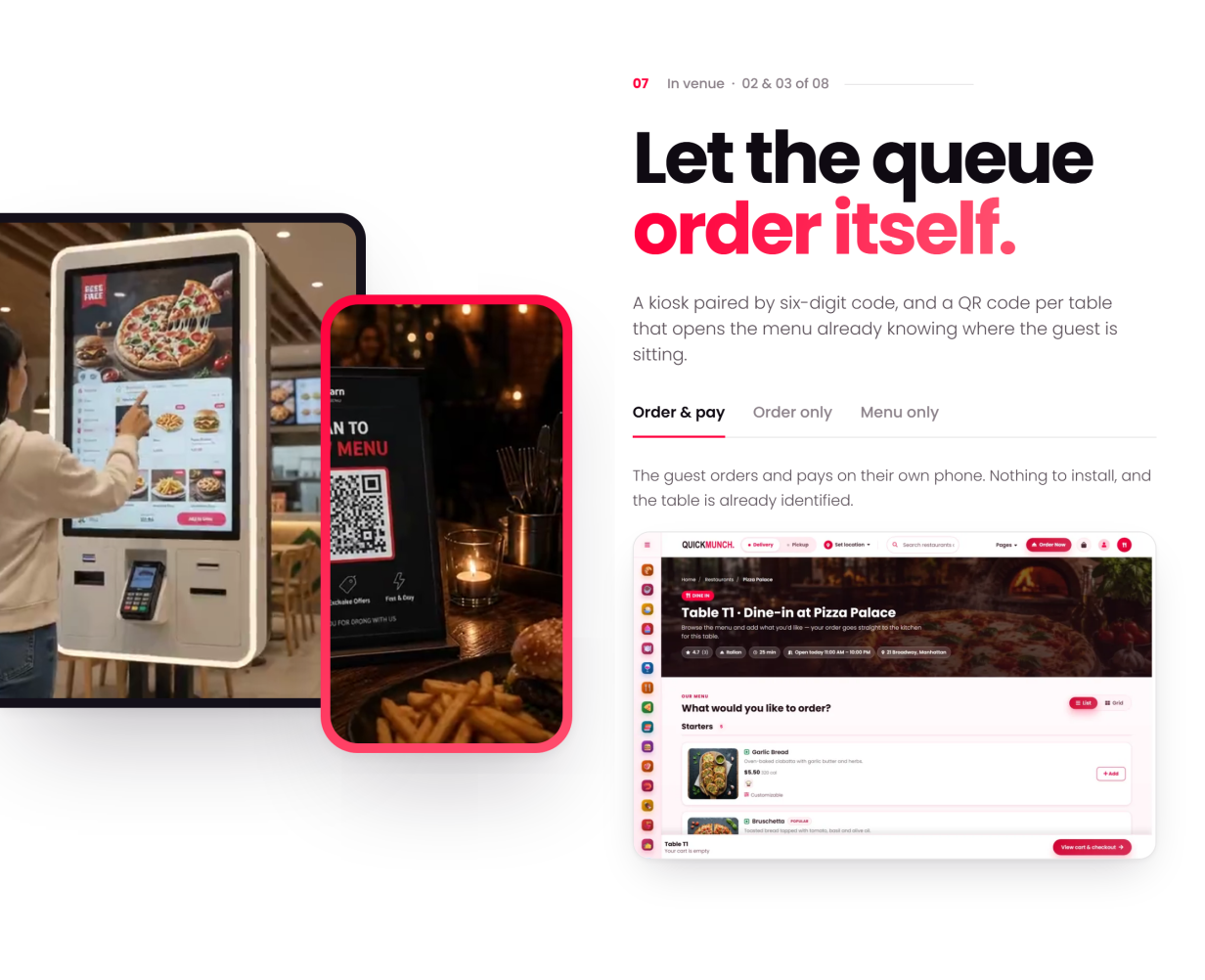
- Kiosks and QR scan-to-order at the table — the guest orders and pays on their own phone, and the order already knows where it sits
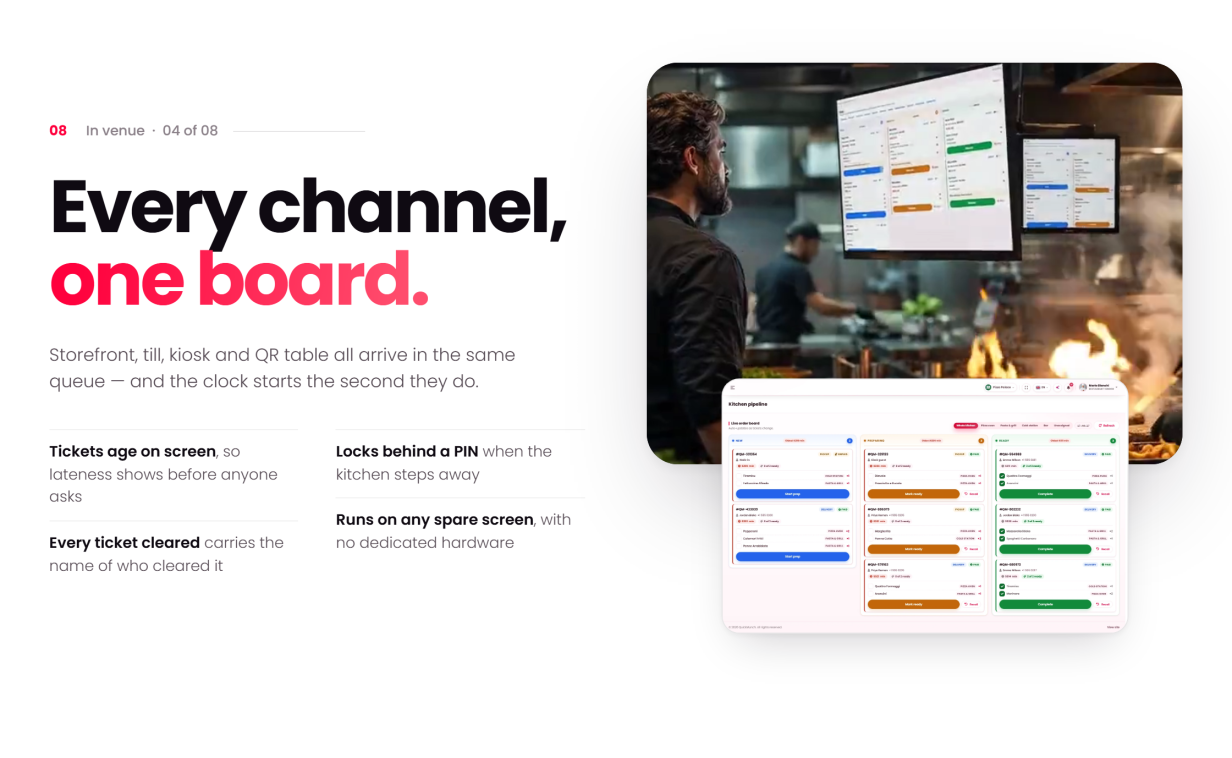
- Kitchen display (KDS): every channel lands on one colour-coded board, tickets age on screen, and every cleared ticket carries a name
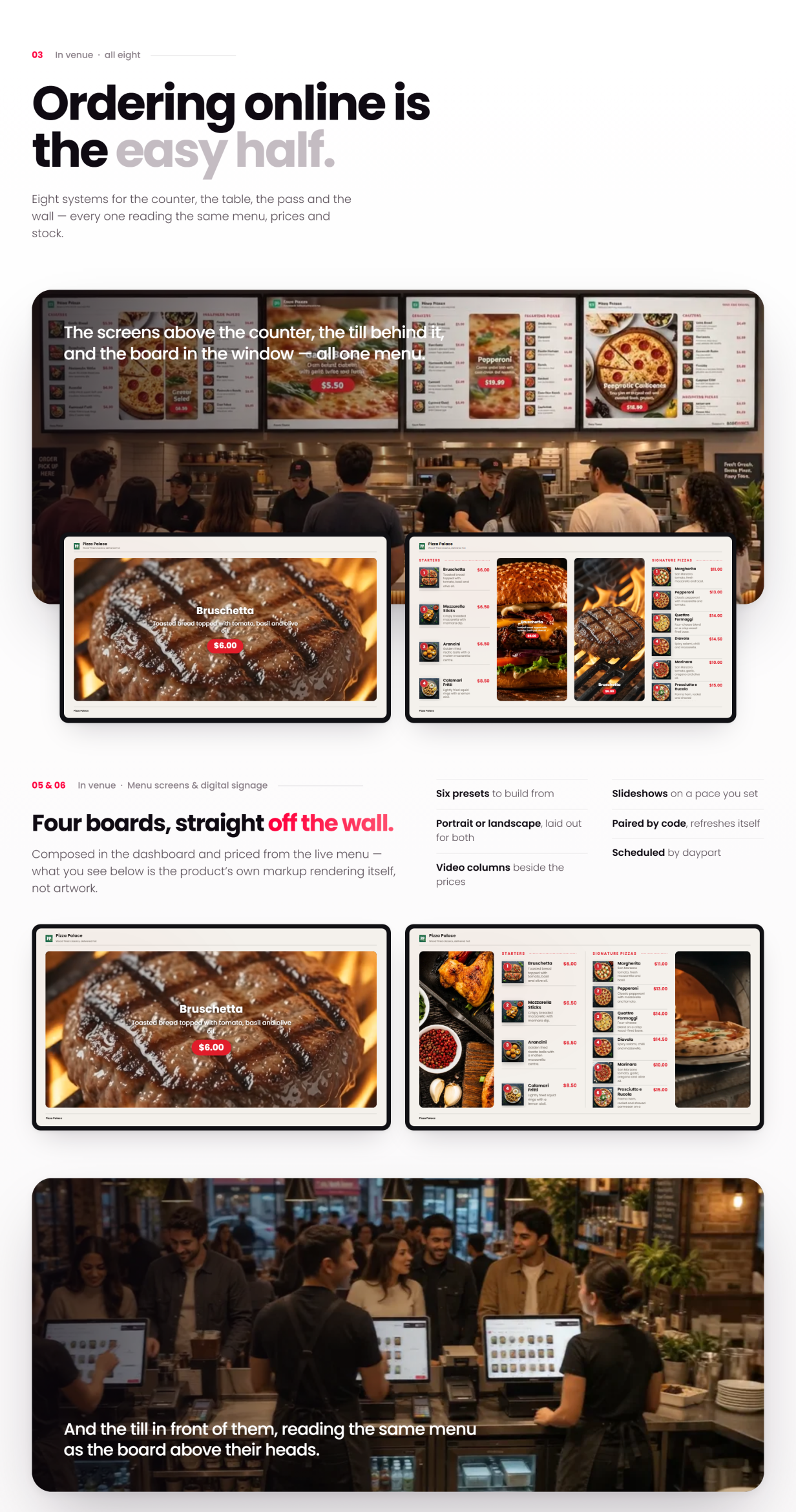
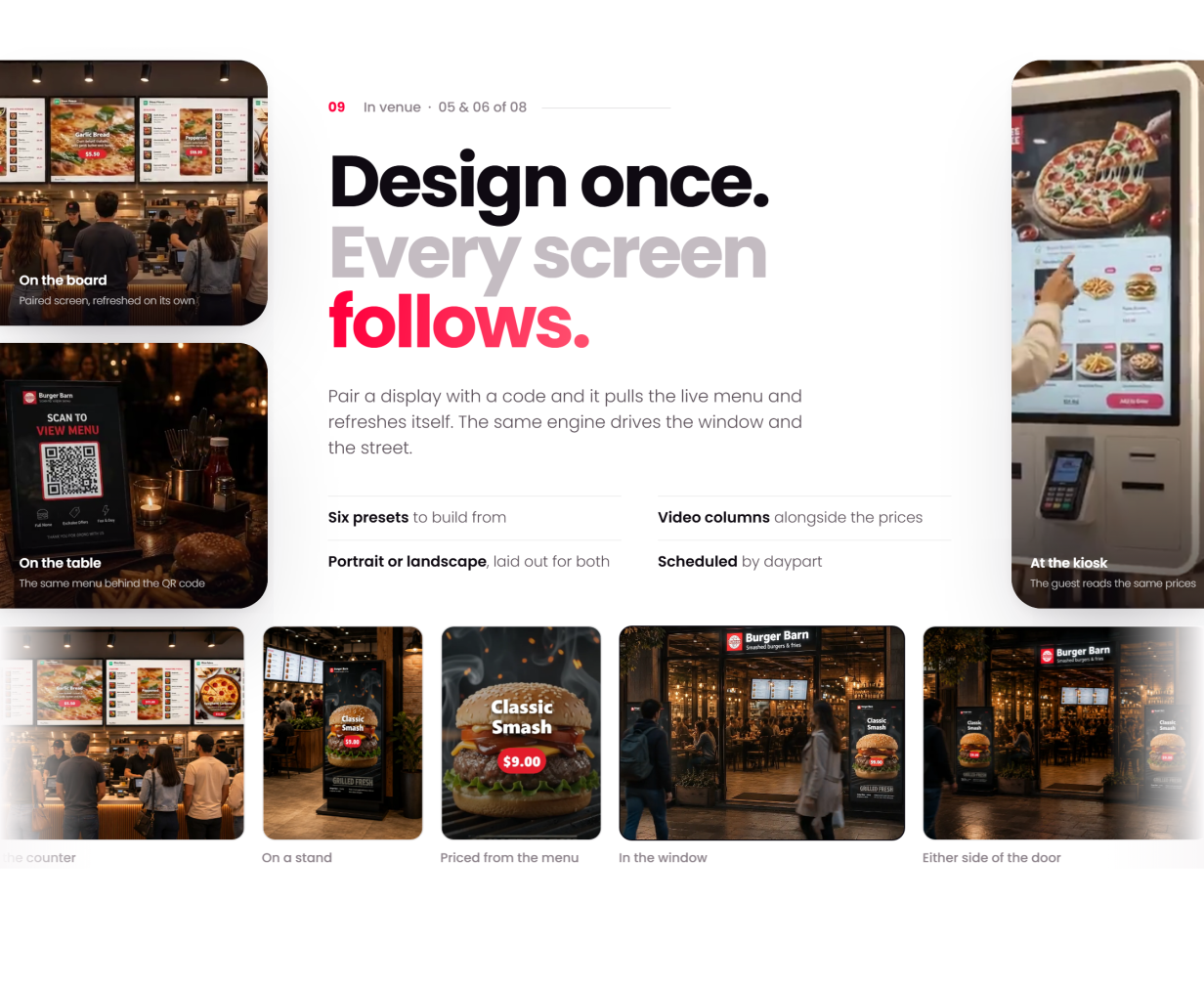
- TV screens (digital menu boards): pair a display with a code and it pulls the live menu — six presets, portrait or landscape, scheduled by daypart
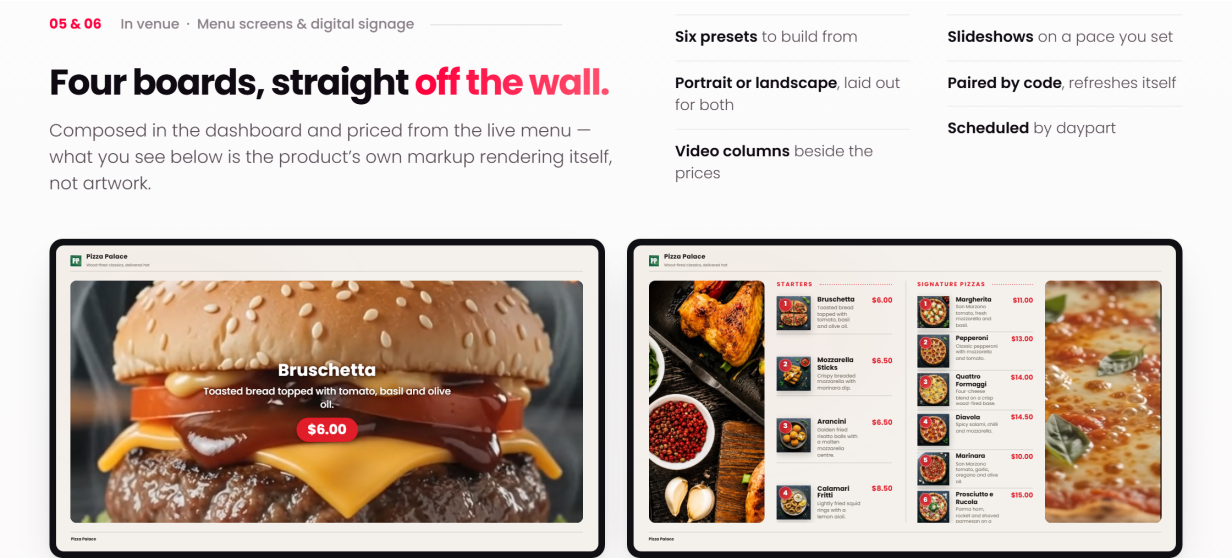
- The boards themselves — spotlight, menu + media and slideshow layouts composed in the dashboard, with video columns playing beside live menu prices
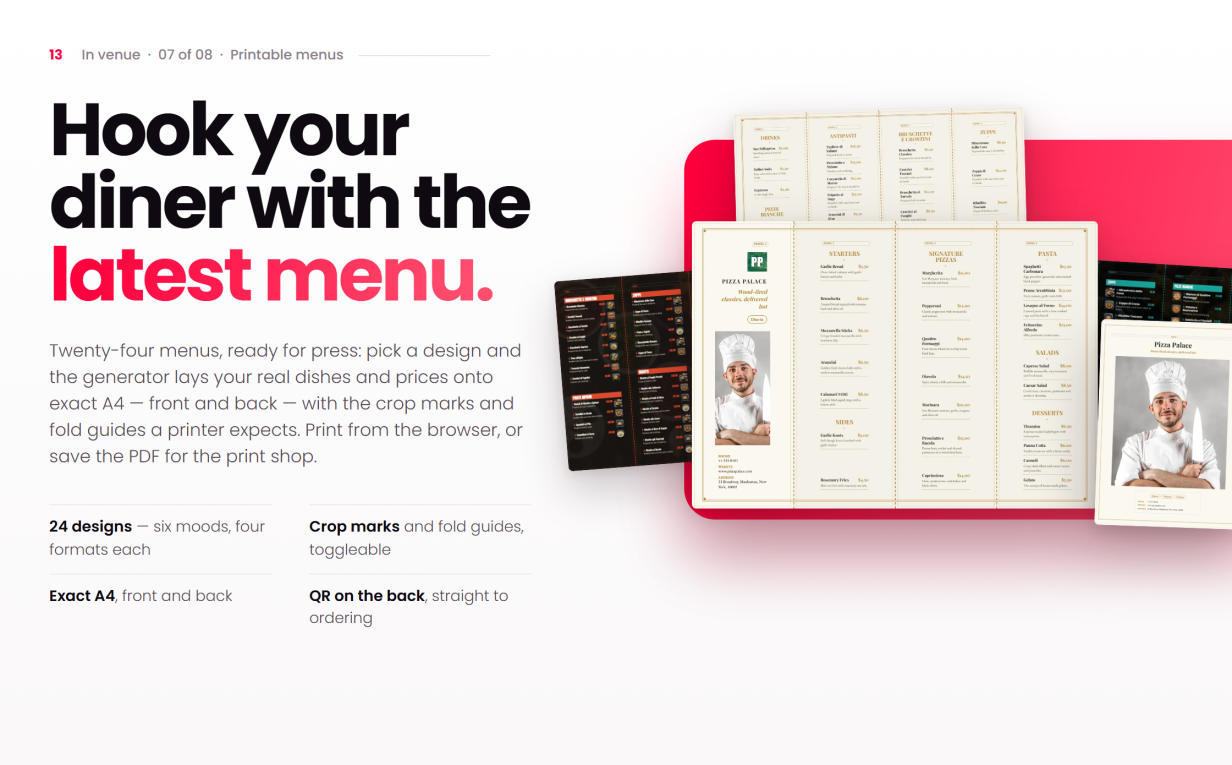
- 24 printable menu designs — six looks with four layouts each, from bi-folds and tri-folds to gatefolds, poster boards and single pages — laid out from the live menu on exact A4, front and back, with crop marks and fold guides for the print shop
- Drag-and-drop receipt designer, per-device settings and idle lock
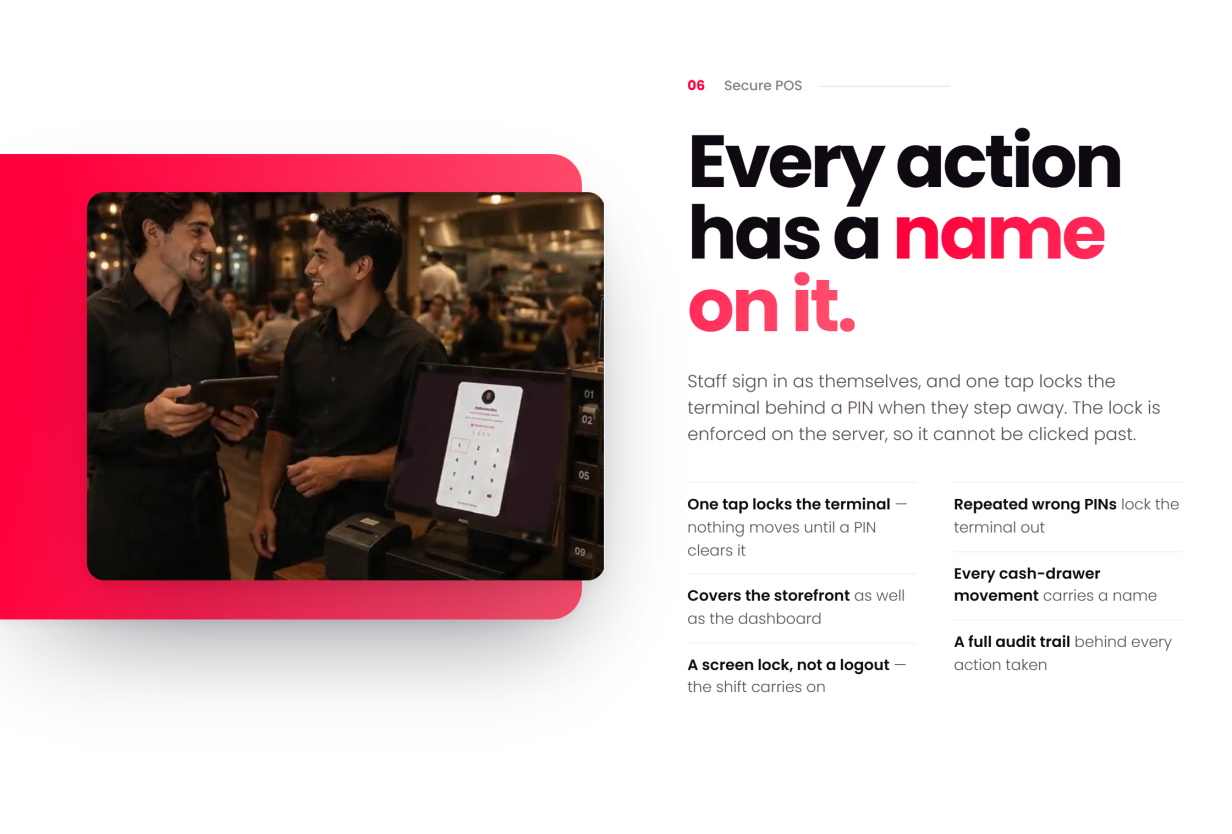
- Staff PIN security: one tap locks the terminal, repeated wrong PINs lock it out, and a full audit trail sits behind every action
Staff & Reports
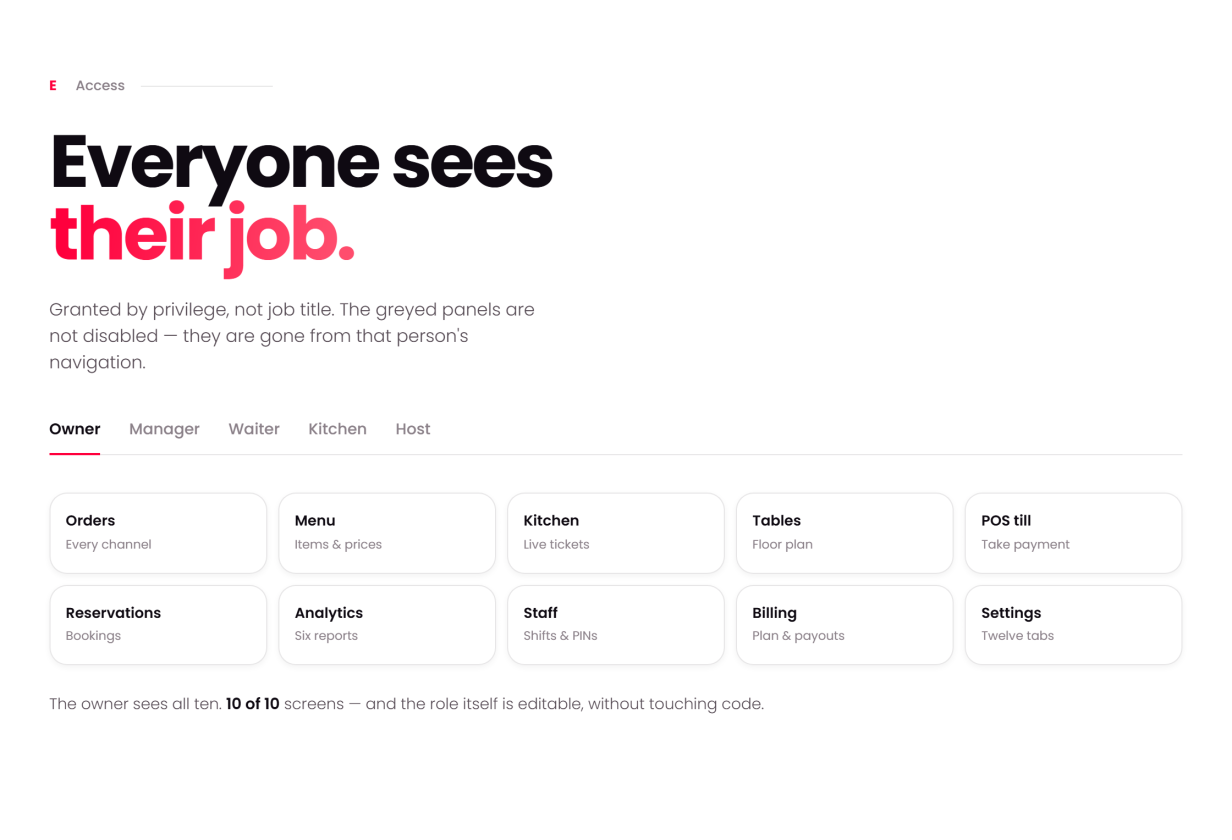
- Scoped staff roles — kitchen, host, waiter, manager — each with its own screen set
- Role permissions, PIN lock & handover, cash-drawer accountability
- Seven vendor reports: sales, menu performance, reservation trends, staff performance, customer insights, operations and kitchen efficiency
Driver / Rider
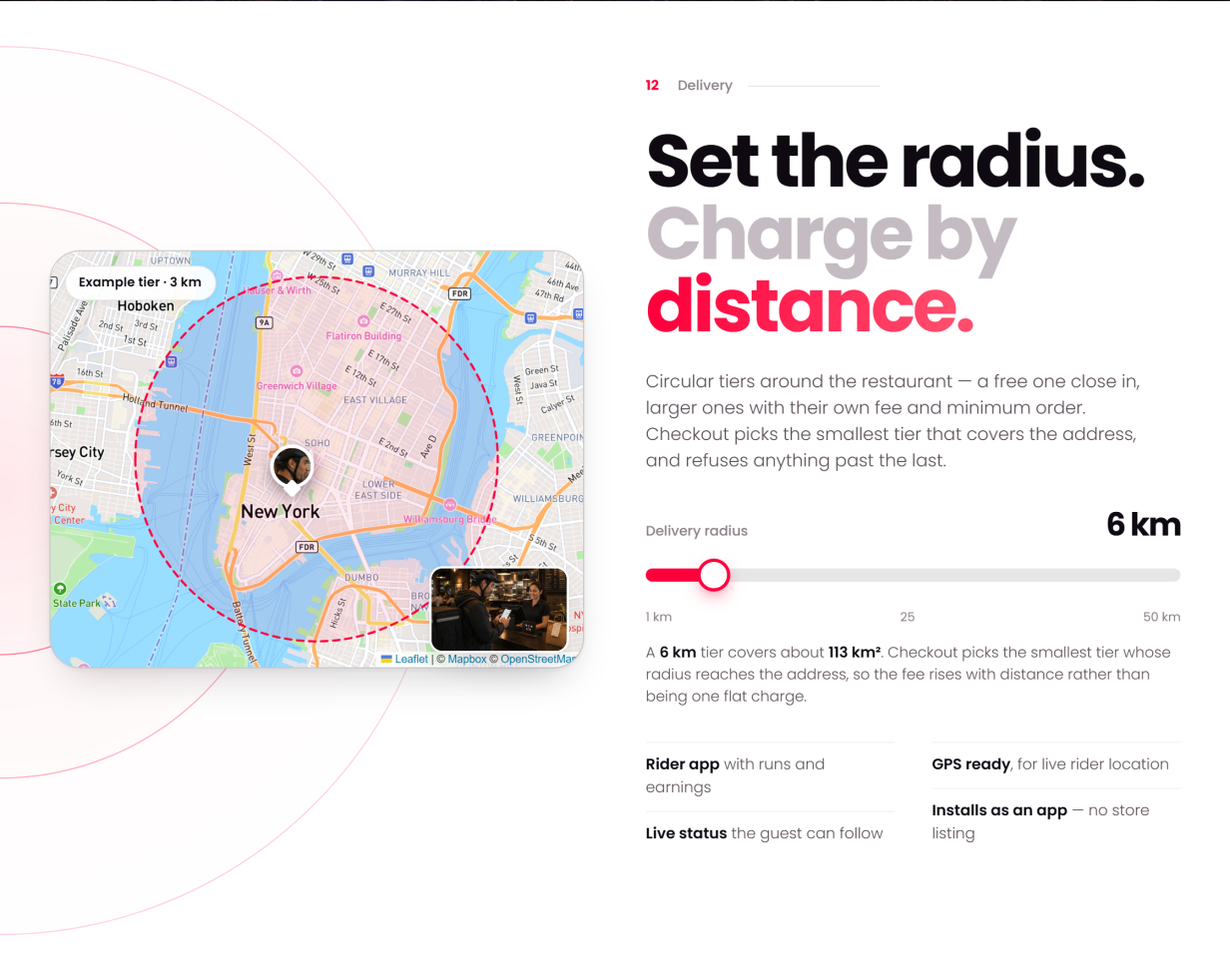
- Delivery zones as circular tiers with their own fee and minimum order — checkout picks the smallest tier that covers the address
- Assigned deliveries, status updates and a read-only earnings tally
- Availability toggle and live position on the vendor’s delivery map
Super-Admin
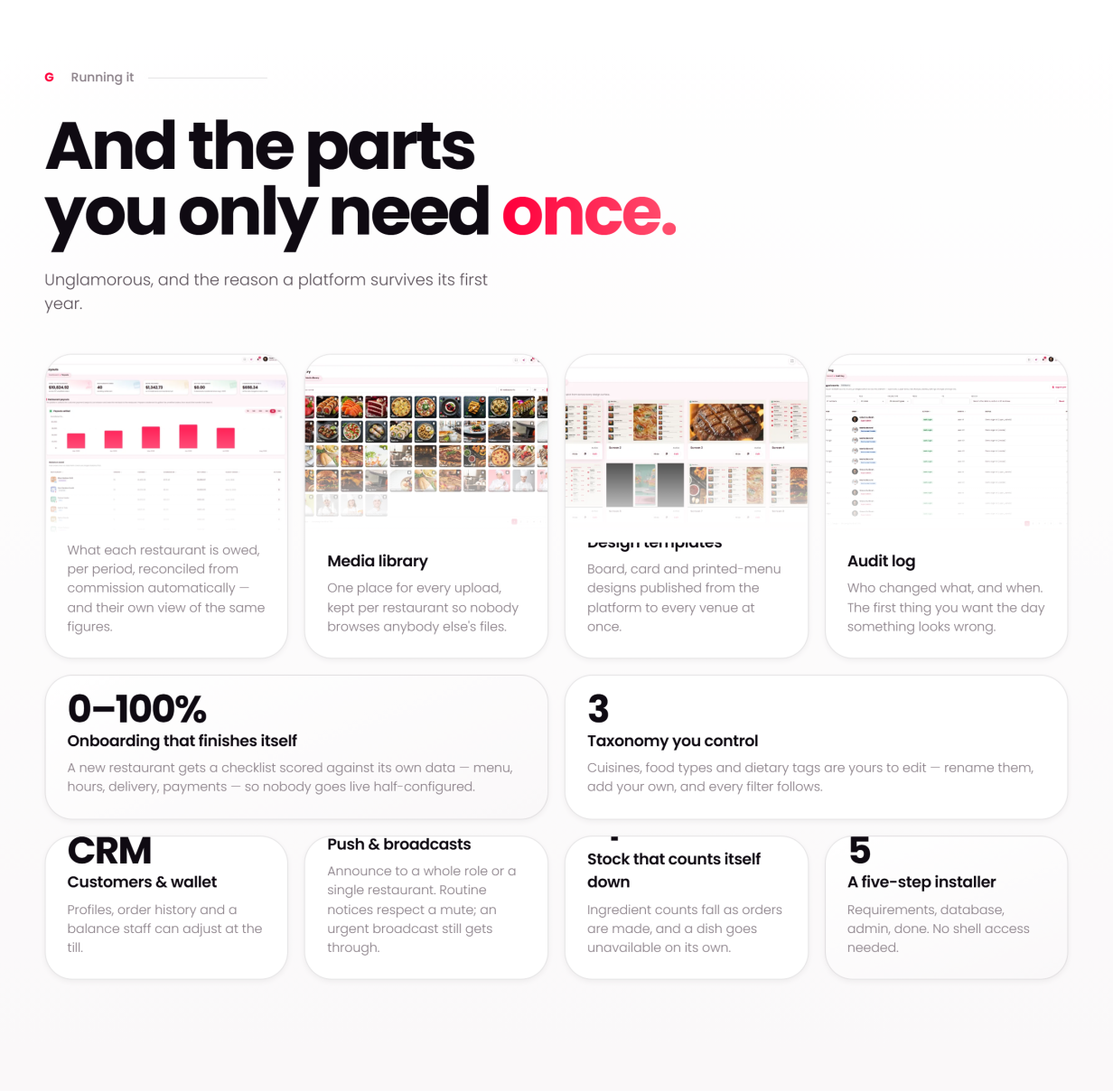
- Restaurants, users, roles & permissions, classifications, deals, loyalty and a platform-wide menu and media library
- Money: payments & gateways, plans, subscriptions, payouts, royalty invoices, platform earnings, recurring revenue, sponsored ads and ad revenue
- Website & content: CMS pages, blog with comments, header / navigation / footer editor, homepage layouts and SEO controls
- Messaging: transactional email with editable templates, SMS (Twilio), push broadcasts, automated drip sequences, a subscriber list with optional Mailchimp sync, and a contact inbox
- Design templates, audit log, platform reports, maintenance mode & backups
What’s Included
- Full PHP source for the storefront, vendor, staff, driver and admin areas
- Web installer, database schema and optional seeded demo data
- 121-page HTML documentation that filters by reader role and business model — every screen in the product has a page
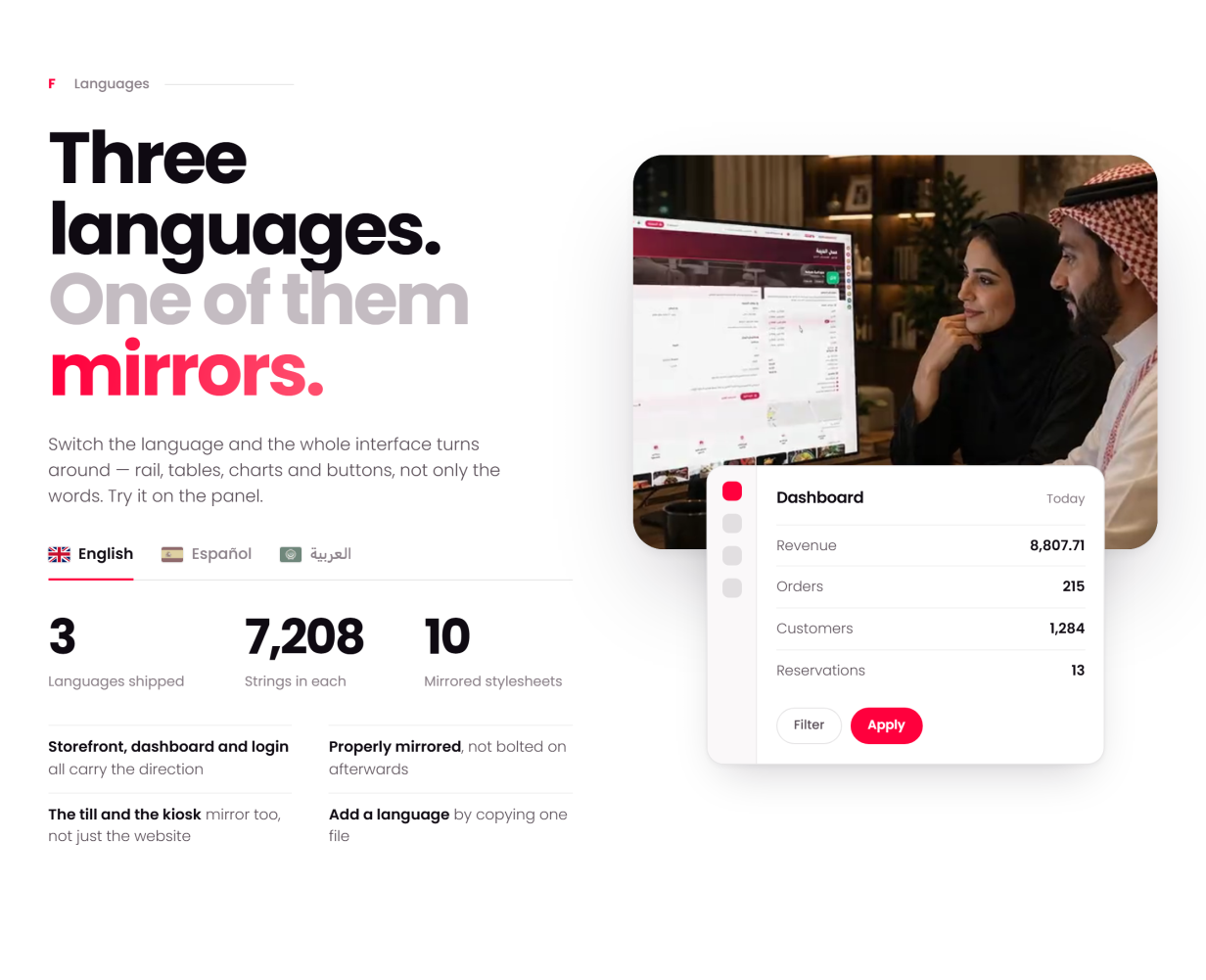
- Three-language UI (English, Spanish, Arabic) with generated RTL stylesheets
- 100% local assets: fonts, icons, images, charts and maps all self-hosted
Server Requirements
- PHP 8.2+ with PDO, GD, mbstring, openssl, fileinfo
- MySQL 5.7+ / MariaDB 10.4+
- Apache (mod_rewrite) or Nginx; HTTPS recommended (payments, push and the installable app want a secure address)
- FFmpeg on the server — optional, used by the Video studio only
Third-Party Integrations (optional, off by default)
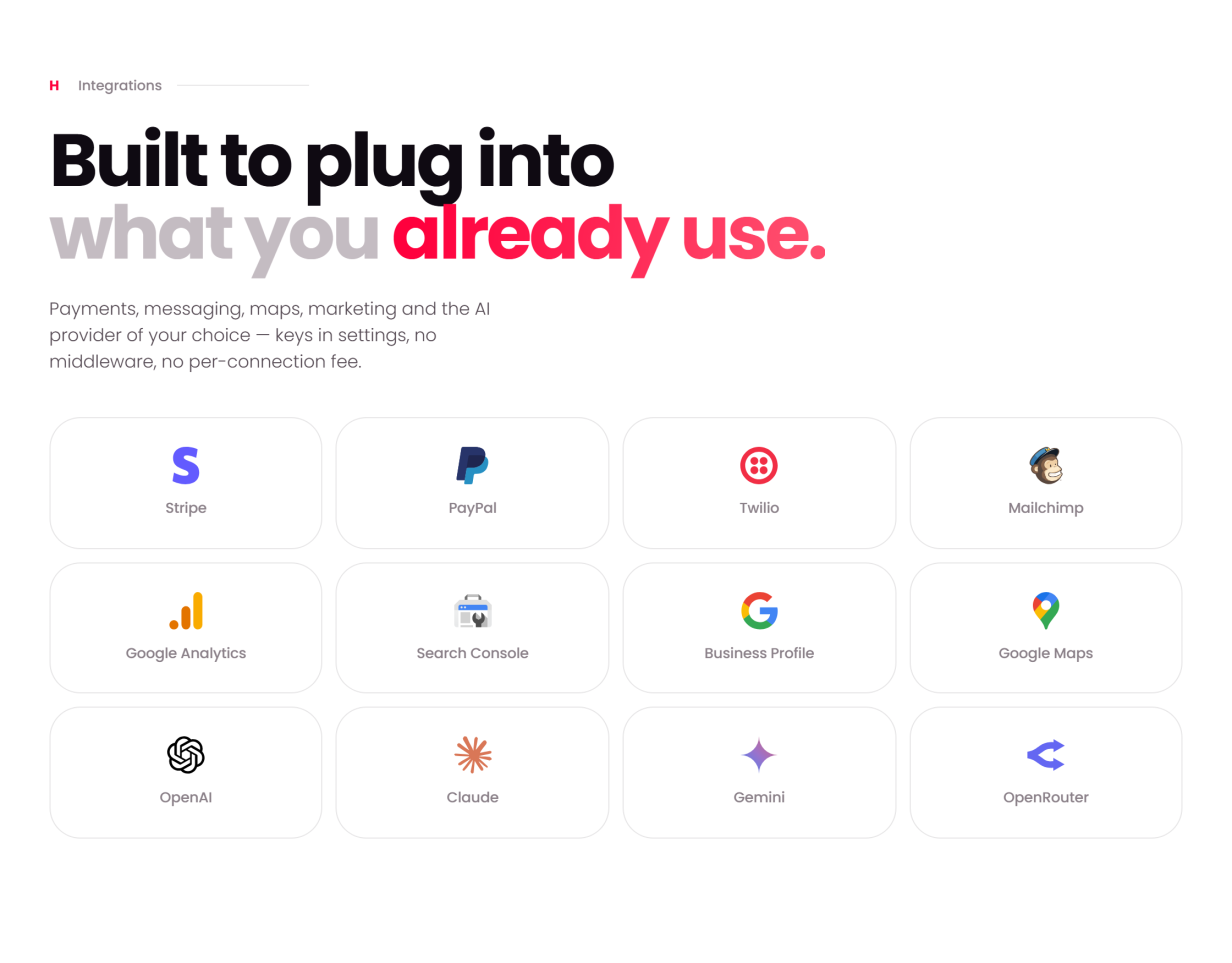
A default install runs with every integration switched off; each one activates only when you add your own key in the admin panel:
- Online payments — Stripe and PayPal on your own checkout page, plus six hosted-page gateways (Mollie, Square, Paystack, Flutterwave, PayU India, SSLCommerz) that take the payment on the provider’s page and bring the customer back; all with refunds from the order screen. Cash and offline / manual payment work with no keys at all
- SMS — Twilio, behind a provider-agnostic settings screen
- Email marketing — optional Mailchimp audience sync (the subscriber list lives in your own database either way)
- AI — bring your own provider key (e.g. OpenAI / Anthropic) for the vendor assistant and AI menu import; you must provide your own privacy notice per your provider’s terms
- Maps — bundled Leaflet with OpenStreetMap by default; optional premium tile keys
Support & Updates
- Documentation covers install, updating, configuration and every screen, with a troubleshooting guide, FAQ and glossary
Credits (all bundled locally, license-compliant)
- Bootstrap (MIT), Font Awesome 5 Free (CC BY 4.0 / SIL OFL / MIT)
- ApexCharts, Leaflet, SweetAlert2, Flatpickr, FullCalendar, Choices.js, FilePond, Quill, Cropper.js, qrcode, interact.js, Panzoom, noUiSlider, Pickr, html2canvas (MIT)
- Microsoft Fluent Emoji 3D icons (MIT); Poppins font (SIL Open Font License)
- Demo photography is placeholder content and must be replaced with your own, licensed imagery before production use.