About This Item
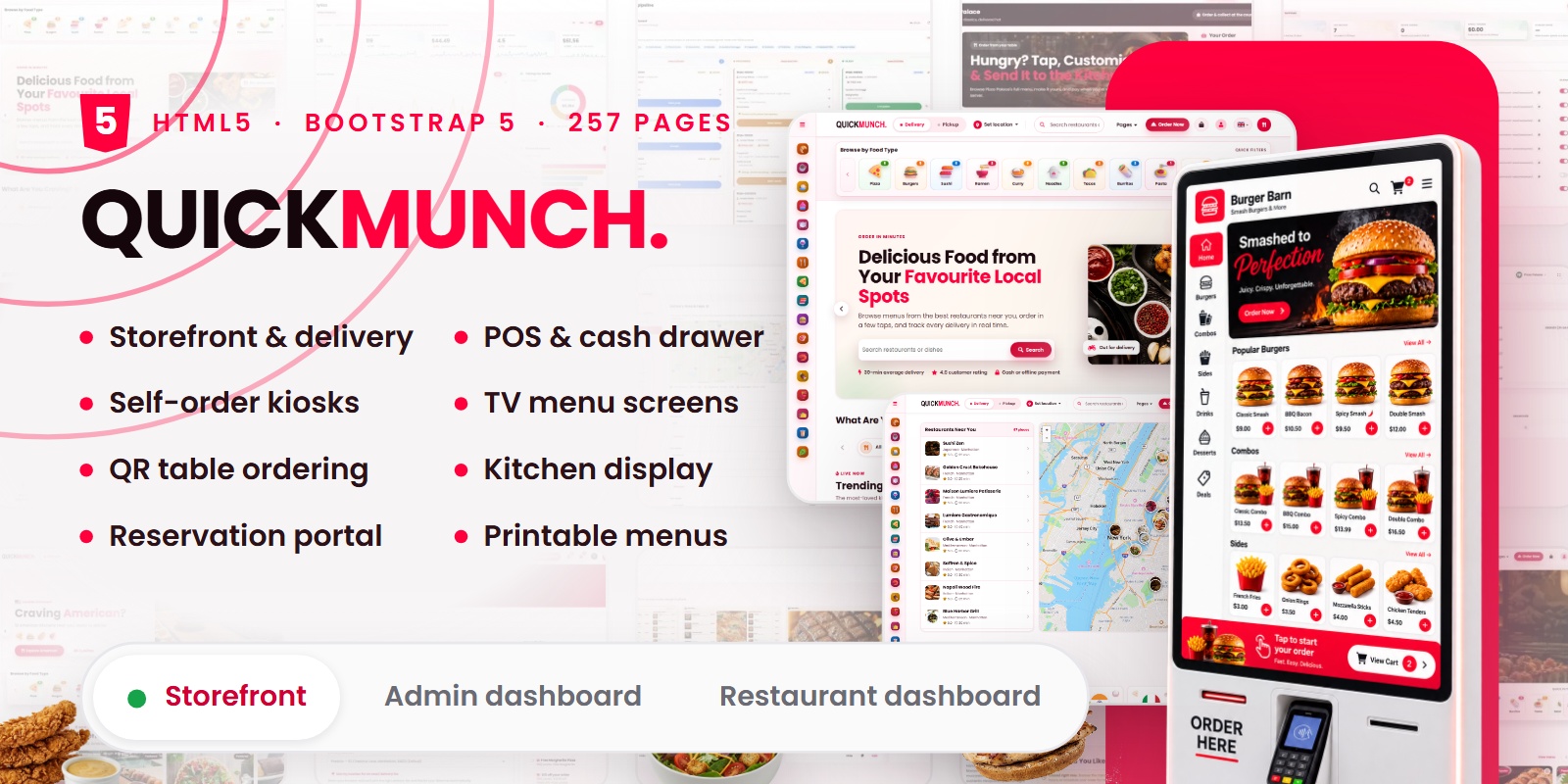
Quickmunch is a food delivery website template for an online ordering platform or a restaurant delivery business: customers order from the storefront and follow their orders in their account, while the admin and restaurant dashboards run the service behind it. Where a food delivery website template usually stops at a few storefront pages, this one ships all four parts as 257 static HTML pages.
Quickmunch is a complete food ordering and restaurant management HTML template. It is not a single storefront with a few extra pages — it is a customer-facing site, a full customer account area, a platform administration dashboard and a restaurant back office, all drawn from one design system and shipped as 257 static HTML pages.
Every screen is plain HTML, CSS and JavaScript. There is no PHP, no database, no framework to install and no build step to run. Unzip the package, open index.html, and the entire product is in front of you.
At a glance
- 257 HTML pages — 33 storefront, 13 customer account, 83 platform admin, 69 restaurant back office, 59 live preview documents
- 6 homepage layouts — default, classic, hungry man, cuisine spotlight, restaurant spotlight and a map-based location finder
- Two complete dashboards — 13 admin sections and 9 restaurant sections, joined by a switcher in the sidebar
- Bootstrap 5.3.8 with 25 bundled libraries, 88 project scripts and 26 stylesheets
- Full right-to-left support — 10 pre-built RTL stylesheets, no extra work required
- Self-contained assets — 1,184 images, 15 videos and 19 webfont files, all local, nothing loaded from a CDN
- Written documentation included in the download
Storefront
The customer-facing site covers the whole journey from discovery to a delivered order.
- Discovery — restaurant listing with filters, cuisine pages, cuisine and restaurant spotlights, and a map-based location finder
- Restaurant profiles — two distinct detail layouts, one with the map and highlights inline, one with a trending strip
- Ordering — item pop-ups with options and add-ons, a cart, a checkout with delivery slots, and live order tracking on a map
- Table service — a reservation flow, a QR table-ordering page and a self-order kiosk screen
- Content — a blog index with two article layouts, plus about, contact, help, partner, privacy and terms
- Accounts — sign in, register, forgot password, reset password, two-factor and unsubscribe
- Vendor acquisition — a partner page and a restaurant sign-up flow
Storefront pages: index, classic, hungry-man, cuisine-spotlight, restaurant-spotlight, find-location, restaurants, restaurant-details-style1, restaurant-details-style2, cuisines, deals, order-builder, cart, checkout, order-track, reserve, table, kiosk, blog, blog-details-style1, blog-details-style2, about, contact, help, partner, privacy, terms, vendor-signup, login, register, forgot-password, reset-password, unsubscribe.
Customer account
Thirteen pages behind the account avatar, each keeping the storefront header and footer so the customer never leaves the site.
Account pages: client-account, client-orders, client-order-review, client-reservations, client-favorites, client-addresses, client-payment, client-loyalty, client-perks, client-reviews, client-notifications, client-notification-settings, client-two-factor.
Platform admin dashboard
83 pages across thirteen sections, for whoever runs the platform.
- Operations — restaurants, orders, reservations, reviews and users, each with a detail screen
- Analytics — platform earnings, recurring revenue, sales, promotions, restaurant insights, customer insights and ad revenue
- Monetisation — plans, subscriptions, payouts and sponsored ads, with payout and campaign detail views
- Growth — loyalty programme and deals
- Media — a media library with upload and cropping
- Content — classifications and taxonomy
- Design templates — TV menu boards, table QR cards, payment QR cards, printable menus and receipts
- Communications — push broadcasts, automated drips, contact messages and subscribers
- Blog — posts, categories, tags and comments, with a post editor
- Appearance — pages, header, navigation, sub-header and footer
- Settings — general settings, email templates, roles and permissions, maintenance mode and a setup checklist
- Logs — email log, SMS log and audit log, each with a detail view
- System — system requirements, scheduled tasks and database tools
Restaurant back office
69 pages across nine sections, for a venue owner or manager.
- Operations — orders, reservations, an interactive floor plan and customers
- Menu — dishes, categories, structure, inventory, importing, an archive and upsell rules
- Media — the venue library with upload and cropping
- Devices — a full point-of-sale screen, kitchen display, kiosks and terminals, and TV screens
- Design and print — QR cards, printable menus, receipt designer and print sheets
- Finance — cash drawer, plans, payouts and invoices
- Analytics — sales, menu performance, reservation trends, staff performance, customer insights, operations report and kitchen efficiency
- Growth — loyalty, coupons, sponsored ads and push broadcasts
- Settings — restaurant profile, device settings, branches, cancellation reasons, staff and shifts
Design studio and live previews
The template galleries do not use screenshots. Every thumbnail is a real page rendered in an iframe, so videos play and boards rotate through their slides while you browse. Those 59 preview documents ship in the package and are what each editor uses for its live preview pane.
- TV menu boards — a column builder with menu, image and video columns, spans, orientation, theme, accent, header and footer, and a separate editor for every board
- Printable menus — folds, paper sizes, skins, backgrounds, double-sided sheets and print-exact output
- QR table cards and payment cards — front and back designs with generated QR codes
- Receipts — a designer whose output the point-of-sale screen honours
Interface details
- One palette value — every hover, tint, border and gradient is derived from a single colour with CSS color-mix, so one line recolours the template
- Charts — area, bar, donut, radial and sparkline charts with plain data in the page, ready to edit
- Maps — one map engine shared by delivery tracking, restaurant maps and location pickers
- Responsive — a four-tier header and a mobile-safe storefront, with swipeable rails that never trap the page scroll
- Working in the browser — CSV export generated client-side, print stylesheets, a shared lightbox, image cropping and drag-and-drop uploads
- Accessibility — skip links, ARIA labelling, visible focus states and semantic landmarks throughout
Right-to-left and typography
Ten stylesheets ship in mirrored RTL form alongside their left-to-right originals — swap the stylesheet and the direction attribute and the whole interface flips. Noto Sans Arabic is included in three weights for Arabic text.
Poppins is the interface typeface, bundled in four weights. Eight display faces ship for the printable menu designer: Anton, Bebas Neue, Bitter, Cinzel, Cormorant, EB Garamond, Oswald and Playfair. Font Awesome supplies the icon set in solid, regular and brand weights. Every font is a local file — nothing is requested from a font CDN.
Requirements
- A modern browser — Chrome, Edge, Firefox or Safari
- A code editor for making changes — any editor will do
- Optionally a local or remote static web server such as Apache or Nginx, or any static host
- No PHP, no database, no Node.js, no npm, no Sass and no build step. The CSS and JavaScript in the package are the final files — edit them directly and refresh
- Pages open straight from the file system for a quick look; serving the folder is recommended so every asset resolves exactly as it will in production
Libraries included
All twenty-five are bundled in the package. Nothing is fetched from a CDN, so the template works offline and behind a firewall.
- Bootstrap 5.3.8 and Popper 2.11.8 — layout and components
- ApexCharts 3.42.0 — every chart in both dashboards
- Leaflet with Mapbox GL and Google Mutant layers — all maps
- FullCalendar 5.11.5 — scheduling and shift views
- SweetAlert2 11.7.27 — confirmations and alerts
- FilePond 4.30.4 with six plugins — file validation by size and type, image preview, crop, resize and transform
- Cropper 1.6.2 — image cropping
- Quill 1.3.7 — rich text editing
- Flatpickr — date and time pickers
- Choices.js — searchable selects and tag inputs
- noUiSlider — range filters
- interact.js 1.10.27 — drag and drop, and the floor plan
- Panzoom 4.6.1 — pan and zoom on the floor plan and design surfaces
- Pickr 1.8.2 — colour selection
- KioskBoard 2.3.0 — the on-screen keyboard for kiosk and terminal screens
- QRCode — QR generation for table and payment cards
- html2canvas 1.5.11 with PDF tooling — exporting designed sheets
- Font Awesome — icons
Documentation
A written guide ships in the download: what the template covers, how to open and host it, the file structure, where the stylesheets live, how the dashboards and the design studio are organised, how to change the palette and the logo, how to edit chart and map data, and how right-to-left and the typefaces are set up.
Credits
Photography and video used in the live preview are licensed for that demonstration only. The download ships placeholder images at identical dimensions in their place, so nothing needs resizing when you drop your own artwork in. Poppins, Noto Sans Arabic, Anton, Bebas Neue, Bitter, Cinzel, Cormorant, EB Garamond, Oswald and Playfair are open-source typefaces under the SIL Open Font License. Font Awesome Free is used under its own licence. Every bundled library remains under its respective open-source licence, and each licence file is included in the package.
Changelog
Version 1.0 — initial release.