Included
Live Preview Details
Architectural Photography WordPress Theme – Vertica
by MetropolitanHost · updated Oct 24, 2026
Download this template, and every other one, with All-Access.
- Monthlybilled $27 every month$27/mo
- Yearlybilled $117 every year$9.75/mo
- Lifetimeone payment$349
Also in these formats
Need only this one? Buy it alone for $66 on MetropolitanHost
- Framework
- WordPress 6.x+
- Libraries
- Elementor
- Browsers
- Chrome, Firefox, Safari, Edge
- Responsive
- Yes - Mobile First
- Documentation
- Included
- Updates
- Free lifetime updates
- W3C valid
- Yes
- Version
- 11.2.0
About This Item
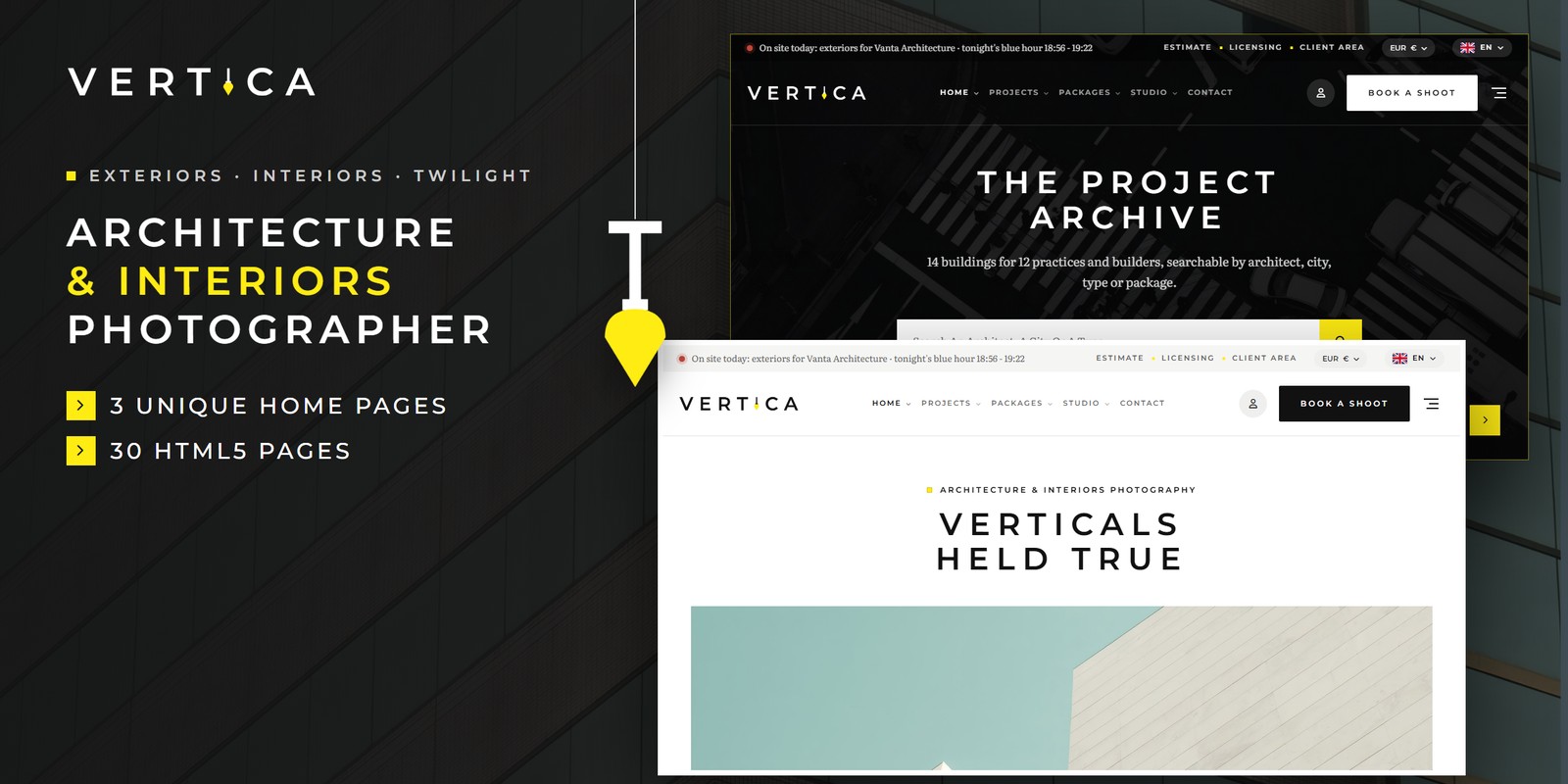
Vertica WordPress is an architectural photography WordPress theme for an architecture and interiors photographer who shoots for architects. It turns the Vertica design into a full WordPress 6 theme. So you edit pages, menus and posts from the dashboard, with no code for daily changes.
News, events and pages are all managed from the dashboard. The projects, packages & booking pages, such as Projects and Three Project Layouts, come as ready page templates.
Three Demo Home Pages
- The Practice – a centred spaced-caps title over a boxed slider with square lemon arrows.
- Project Archive – a night hero over an aerial slider with a search that filters the archive.
- Interiors – the logo centred between the two halves of the menu.
Projects, Packages & Booking Page Templates
- Projects – every project with type tabs, a practice and a year filter.
- Three Project Layouts – big images with the project’s facts, a wide slider with the two sessions.
- Architects & Builders – every practice, builder.
- Packages & Estimate – the rate card and an estimate that adds it all up as you go.
- Licensing – who may use the photographs for what.
- Book A Shoot – six steps: the packages, the site.
Architectural Photography WordPress Theme Features
- WordPress 6.x compatible, with the block editor and Elementor
- Logo, colours and fonts in the Customizer
- Translation ready
- Clean markup that works with Yoast SEO and Rank Math
- Light and dark mode on one switch, remembered between visits
- Right-to-left layouts for every page
- Responsive from phones to wide screens
- Documentation for setup, structure and changes
Installing The Theme
First, upload the theme under Appearance and activate it. Then build your pages from the included templates. Finally, set your logo, colours and menus in the Customizer.
Looking for this architectural photography WordPress theme in another stack? Vertica also comes as HTML5, React, Vue and Angular. The developer bundle has every format at 20% off. Browse more Photography WordPress themes.
Made for WordPress 6.
Changelog
v1.0 2026-10-23
- Initial release.
- WordPress 6.x theme with 3 demo home pages
- Customizer settings
- Documentation included