Included
Live Preview Details
Website Templates
Motocar – Bootstrap 5 Auto Showroom HTML5 Website Template
Formats: HTML5Tailwind CSSPHPReact+2
by MetropolitanHost · updated Nov 1, 2026
Download this template, and every other one, with All-Access.
Need only this one? Buy it alone for $19 on MetropolitanHost
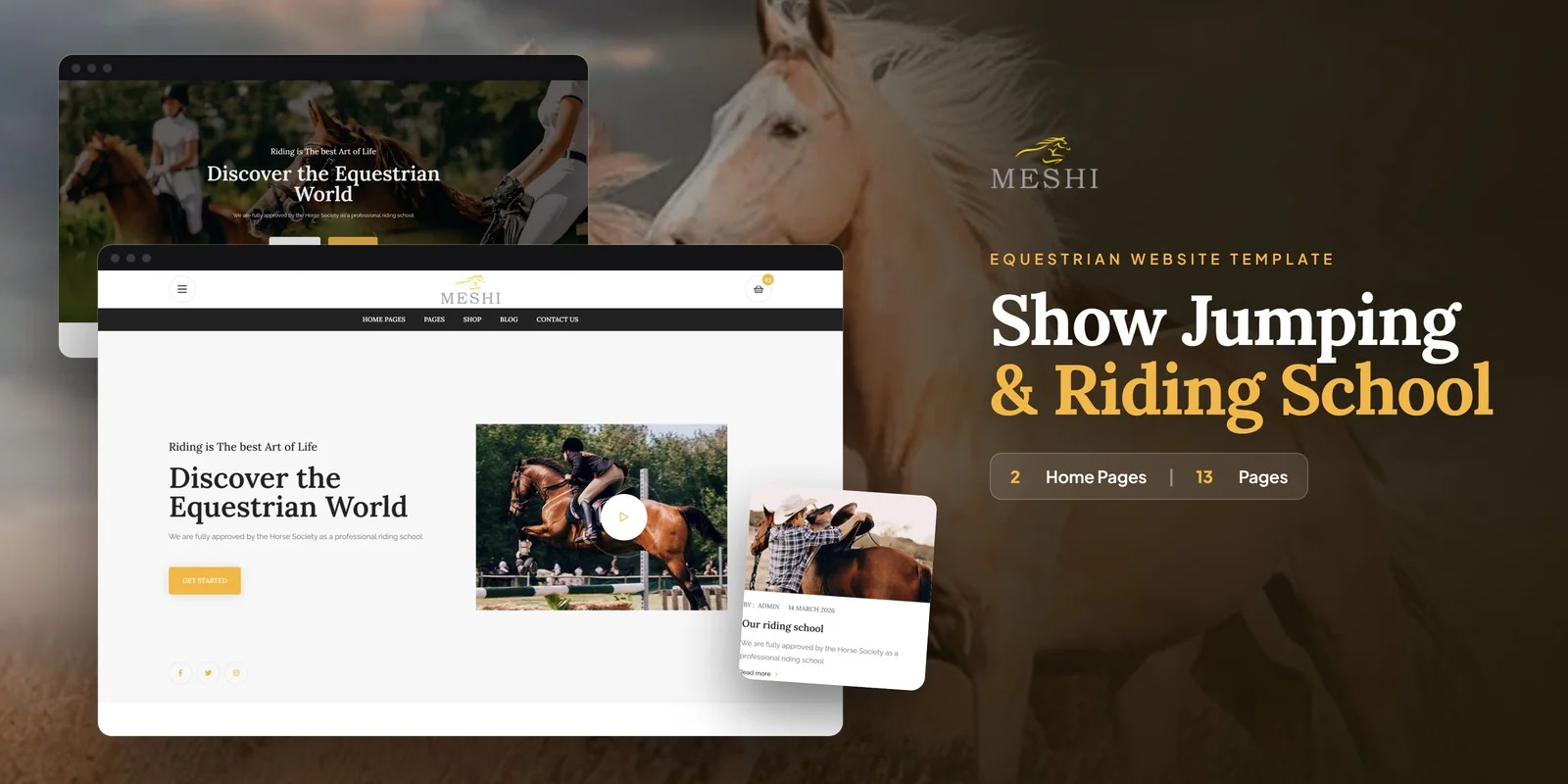
Lessons, riding gear and a full checkout share one site in this Tailwind CSS equestrian & horse riding template, which Meshi builds with Tailwind CSS 4. It suits equestrian centres, horse riding schools, riding clubs, stables, farriers and shops that sell riding equipment. Freelancers and web studios can also start from it when a client needs a riding site.
Each of the 14 pages in this Tailwind CSS equestrian & horse riding template belongs to a stable, a riding school or a gear shop. The pages fall into four groups.
Many riding schools and stables sell boots, helmets and saddlery next to their lessons. The shop listing shows that gear, and Product Details gives each item its own page. Visitors can keep items on the Wishlist, then move them to the Cart and finish in Checkout.
Customers can also create an account on the Sign Up page and return later through Login. A school that only takes enquiries can leave the shop pages out, because each page stands alone.
The home layouts use Slick carousels to feature horses and equipment. Magnific Popup opens stable and riding photos full screen, so a club can show its yard and arena at a larger size. The Blog Grid and Blog Details pages carry school news, event reports and riding advice. In addition, the About Us page gives the school space to explain its approach to training.
Each section carries its styling in its own markup, so a rider-facing block can be read and adjusted right where it sits. A section also keeps its look when you copy it to another page. For example, you can lift a product card from the Shop Listing into a home layout and it still looks the same.
If you want to restyle the pages, the download includes the Tailwind source to rebuild from. The finished pages also open as they are, with no build step. Neutral placeholders take the place of the preview images, which leaves room for your own horse and stable photos. The icons come from Flaticon and FontAwesome, and fonts load from Google Fonts. Step-by-step documentation covers setup and customisation.
Most buyers start with the content of the two home layouts: the hero text, the lesson and horse sections, and the featured gear. Next come the shop listing and product pages, where real riding gear replaces the placeholders. The logo, colours and fonts usually follow once the pages hold real content. The template works in Chrome, Firefox, Safari, Edge and Opera.
v1.0 2026-11-01
Website Templates
Formats: HTML5Tailwind CSSPHPReact+2
Website Templates
Formats: HTML5Tailwind CSSPHPReact+2
Website Templates
Formats: HTML5Tailwind CSSReactVue+1
Website Templates
Formats: HTML5Tailwind CSSReactVue+1