Included
Live Preview Details

Website Templates
Freshly – Bootstrap 5 Food Blog & Recipes HTML5 Website Template
Formats: HTML5Tailwind CSSPHPReact+2
by MetropolitanHost · updated Nov 1, 2026
Download this template, and every other one, with All-Access.
Need only this one? Buy it alone for $18 on MetropolitanHost
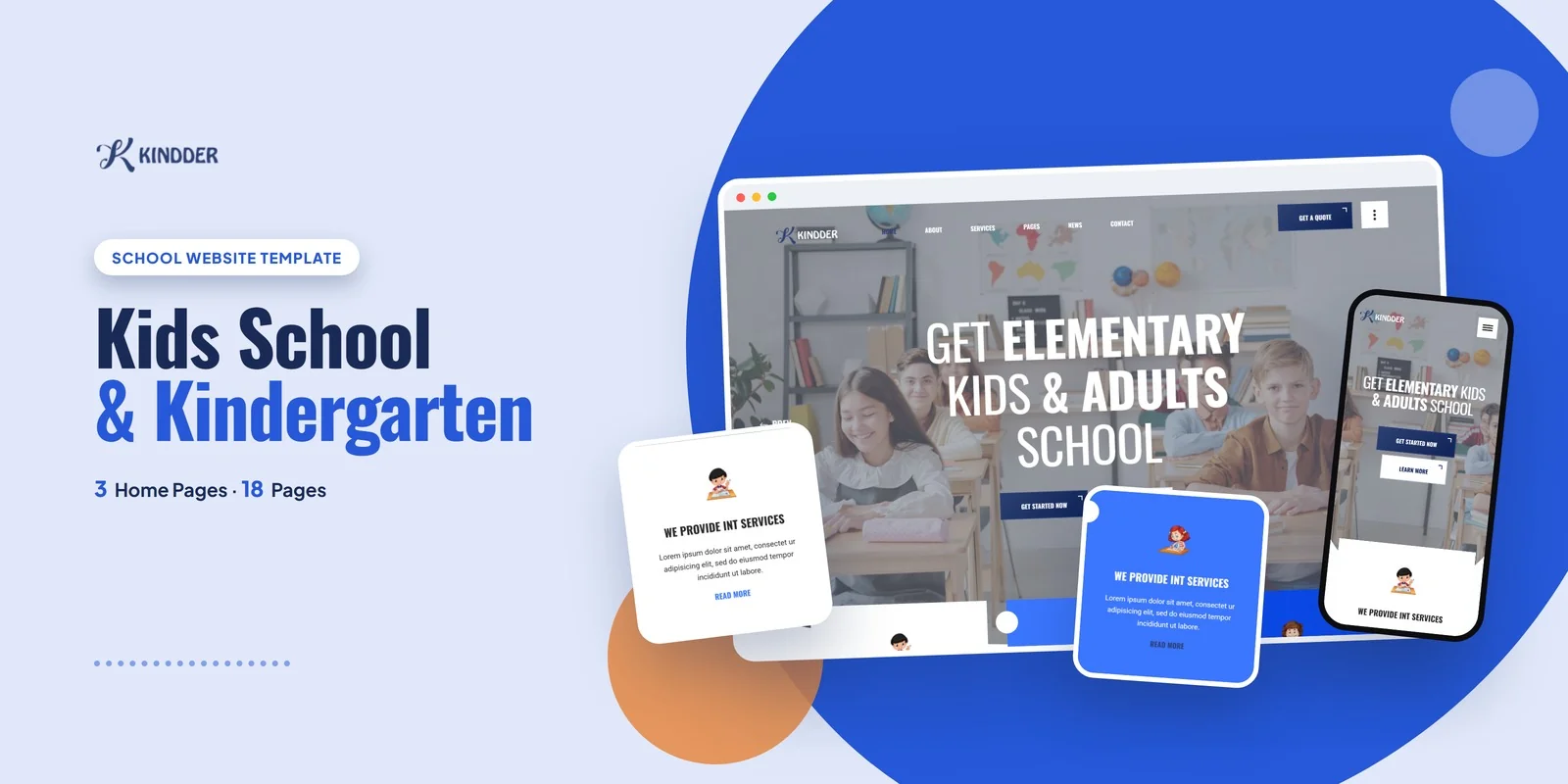
Kindder gives a preschool, daycare or primary school a Tailwind CSS kindergarten school template that presents classes, teachers and admission details in 18 ready pages, using Tailwind CSS 4 for the styling. It suits kindergartens, preschools, daycare centres, primary schools and after-school programs. Freelancers who build sites for those clients can also use it as a starting point.
The template includes three home page layouts, so a school can pick the hero and showcase arrangement that matches its tone. One layout uses a banner slider hero. The others arrange classes, programs and parent information in different orders. Animated counters can show students, teachers and milestones, and EasyPieChart charts can show progress figures.
Parents compare schools by looking at classrooms, teachers and the answers to practical questions. A Tailwind CSS kindergarten school template should put those items within one or two clicks. Four pages matter most to this audience, and each has a clear job.
The Why Choose Us page comes next in value. It states what sets the school apart in one place, so you do not have to repeat it on every page.
The full page list is grouped below.
The three gallery formats let a school choose between a tidy grid, a masonry layout and a slider. Isotope filtering sorts gallery items by class or activity type, and a Magnific Popup lightbox opens photos full screen. Slick carousels handle the banner and parent testimonials. MeanMenu keeps navigation usable on phones, and WOW.js reveals sections as visitors scroll.
Each section is styled by classes placed directly on its elements, so a teacher card or a gallery tile can be read and changed on the spot. Hover and focus effects sit beside the normal appearance of the same element. Screen-size prefixes, written mobile first, make layouts adapt, which matters because many parents browse on their phones. A school can therefore adjust the Team grid or the FAQ spacing without searching through separate style files.
In the download you get ready-made pages that you can open straight away. The Tailwind source comes with them, so any style change can be compiled again whenever you need it. The icons come from Flaticon and FontAwesome, and the fonts load from Google Fonts. The photos seen in the live preview are not in the package, and neutral placeholders replace the preview images until your own classroom photos go in. Freepik and Unsplash are credited for the original imagery, and step-by-step documentation covers setup and customisation. Kindder works in Chrome, Firefox, Safari, Edge and Opera.
v1.0 2026-11-01
Website Templates
Formats: HTML5Tailwind CSSPHPReact+2
Website Templates
Formats: HTML5Tailwind CSSPHPReact+2
Website Templates
Formats: HTML5Tailwind CSSPHPReact+2
Website Templates
Formats: HTML5Tailwind CSSPHPReact+2