Included
Live Preview Details

Website Templates
Medical – Bootstrap 5 Medical Practice HTML5 Website Template
Formats: HTML5Tailwind CSSPHPReact+2
by MetropolitanHost · updated Nov 1, 2026
Download this template, and every other one, with All-Access.
Need only this one? Buy it alone for $20 on MetropolitanHost
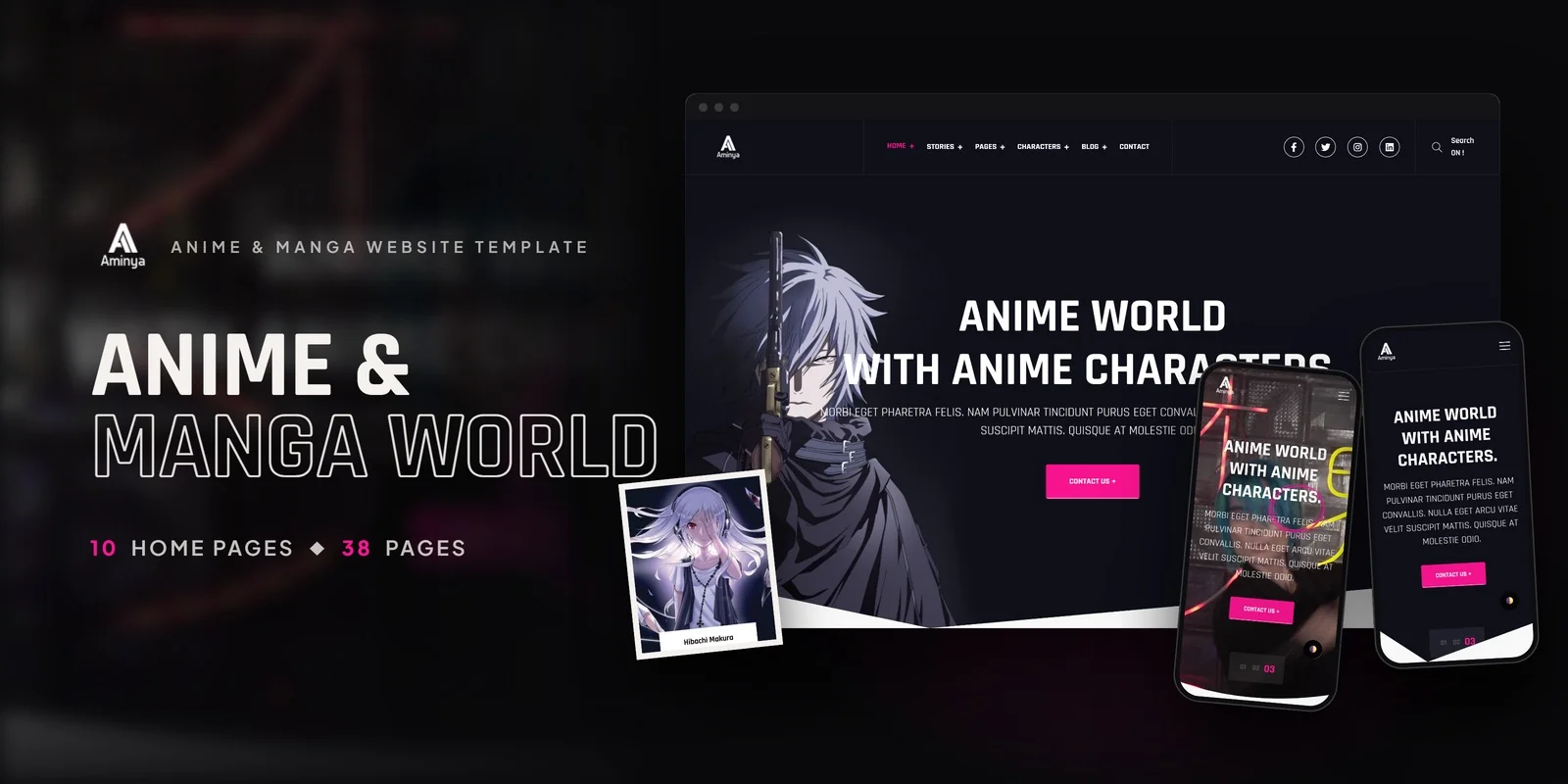
Anime streaming sites, manga publishers and fan wikis get a ready-made layout in Aminya, a Tailwind CSS 4 build, and this Tailwind CSS anime manga template covers stories, characters and news. It copies the design and page set of the HTML5 edition, so nothing is missing.
Aminya includes 10 home page variants that differ in hero style and content order. After choosing one, you can fill in your series, releases and featured characters.
The blog system has 9 layout variants, so news, reviews and trailer posts can each use a suitable format.
Also included are a Coming Soon page for an upcoming launch, a Typography page, an About page and a branded 404 page, for more than 20 pages in total.
The interface features match the real jobs of an anime site. Isotope filtering sorts characters and stories by genre or category. Swiper carousels present featured series, and Fancybox opens galleries full screen. Because GSAP, WOW.js and Jarallax handle motion and parallax, sections reveal as visitors scroll. Dark mode is also built in, which suits viewers who browse at night.
The theme file holds the colors, fonts and spacing, so one edit there updates every page. Because this Tailwind CSS anime manga template keeps its theme in one place, a new accent color or font reaches the character pages and the blog together. Layouts also respond to screen width with small-screen-first prefixes written on the elements, so the Characters grid and the Blog Masonry page resize without extra code.
A good first step is the theme: brand colors and fonts, then the hero on your chosen home page. After that they swap in their own series, character and news content. The download holds the finished pages, which open as they are, along with the Tailwind source if you plan to rebuild the styles. The preview artwork is left out and neutral placeholders sit in its place, so your own images go in. Icons come from FontAwesome and Flaticon, fonts load from Google Fonts, and the preview images were credited to Freepik and Unsplash. Documentation walks through setup and customisation, and the pages work in Chrome, Firefox, Safari, Edge and Opera.
v1.0 2026-11-01
Website Templates
Formats: HTML5Tailwind CSSPHPReact+2
Website Templates
Formats: HTML5Tailwind CSSPHPReact+2
Website Templates
Formats: HTML5Tailwind CSSPHPReact+2